8
English
Dialling speed dial in speaker mode
1.Donotliftthehandset.Pressthedesiredspeeddialbutton.
Itisalsopossibletoanswerincomingcallswiththecordless
alarmunit.Whenthephonerings,pressthebuttononthe
cordlessalarmunitandthecallisansweredinspeakermode.
Endthecallbypressingthesamebutton.
Cordless Alarm Unit
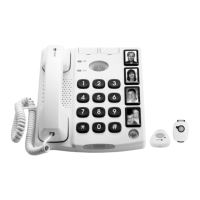
Thetelephonecomesequippedwithapre-registeredcordless
alarmunit.Ifthecordlessalarmunitstopsworkingand
changingthebatterydoesnothelp(seeBatteries), it is possible
simplytoregisteranewonetothetelephone.
Registering the cordless alarm unit
1.HoldthePAIRING buttononthebackofthephonedown.
Thealarmbutton showsabluelight.
2.Pressthebuttononthecordlessalarmunit.Thealarmbutton
showsagreenlightwhenpairingiscomplete.
3.ReleasethePAIRINGbuttononthebackofthephone.
Itispossibletohavetwocordlessalarmunitsregisteredtothe
telephonesimultaneously.
Ifadditionalcordlessunitsareregistered,therstregisteredwill
be disabled.
Alwayscheckthatthecordlessalarmunitsinuseareworking
withtrialtests.
External Alarm Unit
Onthebackofthetelephonethereisasocket(markedEXT)
towhichacable-connectedalarmunitmaybeattached.A3.5
mmmonoplugisusedforconnection,andaclosedswitche.g.
apush-buttonforanalarmbellisusedtoactivateanalarm.The
cable-connectedalarmunitworksinthesamewayasthealarm
buttononthetelephone.


 To Next Page