EasyManua.ls Logo

Doro Secure 580 - Turn the Phone Off; Navigating Your Doro Phone; Understanding the Status Bar; Standby Mode and Menu Access

Doro Secure 580
20 pages
Print Icon
To Next Page IconTo Next Page
To Previous Page IconTo Previous Page
Loading...
English
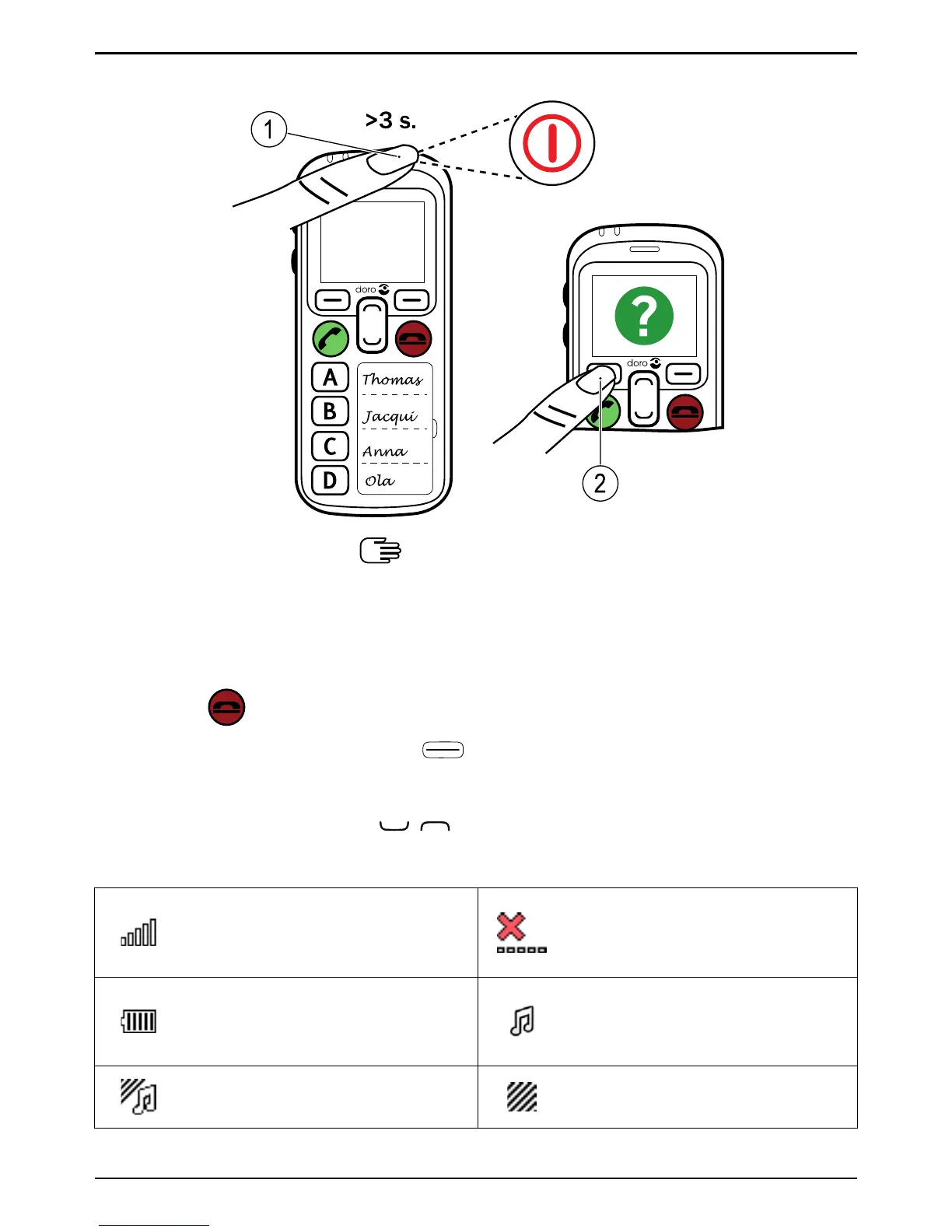
Turn the phone off
2
1
Navigate the phone
Standby (idle mode)
When the phone is ready to use, and you have not keyed in any charac-
ters, the phone is in standby.
Press
to return to standby mode.
Press left selection button
to access the Menu.
Scroll
Use the arrow buttons
/ to scroll in menus.
Status bar
Signal strength (the more
bars, the better signal
strength)
No network coverage
Battery level (the more
bars, the more charge in
the battery)
Ringtone only for incoming
calls
Ringtone and vibration for
incoming calls
Vibration only for incoming
calls
3

Related product manuals