Shorter shutter speeds than the x-synchronization should under no circumstances be used in order to avoid
incorrect exposures. Using the DAF-42 with TTL mode the x-synchronization of your camera will be set
automatically.
Front and Rear Curtain Synchronization (only Model Pentax/Samsung)
Position the switch in the middle if you want to re the ash synchronously onto the rear curtain. In this
mode the ash does not re onto the opening of the front curtain, but is only triggered shortly before the rear
curtain activates. This mode will only eect picture results when taking shots of moving objects and by using
a shutter speed of > 1/30 s:
• When taking pictures of moving objects with long-time exposure, a motion light trail, caused by the
ambient light, appears in front of the moving object. Thereafter the ash is triggered and then the
movement is photographed. Whith ash synchronization onto rear curtain the order is reversed. First
the movement is photographed. Shortly before the rear curtain activates, the ash is triggered. Now, the
motion light trail appears after the moving object on the photograph. The picture gives now the impression
of dynamic and speed.
• Use manual exposure on your camera and set shutter speed and aperture manually. This way a precise
accommodation of the shooting situation is better warranted.
• To avoid blurred pictures, the use of a DÖRR tripod is recommended. Move the switch to the right if you
want to ash “regular” that is utilizing the front curtain.
Long-Time Synchronization
To achieve a balanced light ratio between object and background in weak ambient light, a longer exposure
time is recommended. Thereby, the main object in the foreground is illuminated by the ash while the
background is adjusted to the brightness of the main object through a longer exposure time. (With “regular”
ashing the background would disappear in the dark.) Extended time synchronization helps you to achieve
great eects, e. g. by taking portraits at the fair grounds with an evening setting as background or in a
neon-lit shopping center. To set your camera to a longer exposure time of your choice, set your camera to
automatic diaphragm mechanism or manual exposure control.Some camera models allow for extended time
synchronization also in auto mode or with automatic time release. To avoid blurred pictures, the use of a
DÖRR tripod is recommended.
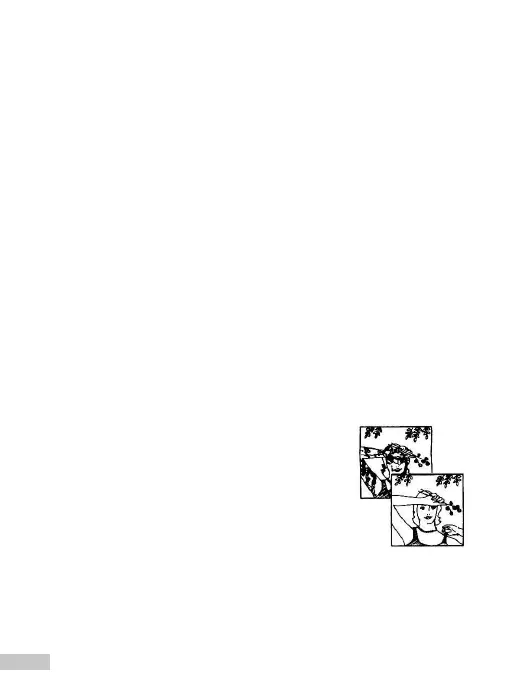
Using the Flash with Daylight
Although on sunny days the light may be sucient to restrain from using the
ash, depending on the position of the sun more or less unsightly shades may
appear on faces and other objects. Also, shots made with back light often
cause the main object to be underexposed. Therefore, it is advisable to use the
ash also in sucient daylight. Therewith, the above mentioned problems can
be avoided. Furthermore, the colors on your pictures will be intensied and the
image contrast will be enhanced as well.
Slave Function
The DAF-42 can also be triggered wireless from a distance (e. g. via the built-in camera ash). Thereto
position the slave switch to S. Now the slave photocell is activated. The photocell catches reecting light
from the built-in camera ash and synchronously triggers the DAF-42. The distance range is over 10 m. In
slave mode TTL ash control is automatically deactivated. In manual ash mode the ash is set automatically
to full ash power. Via the mode button you can reduce the capacity down to 1/16 of the full capacity.
16


 To Next Page
 Loading...