17
Power Source
This ash operates with 4x 1,5V Mignon alkaline batteries (type AA) or rechargeable NiMH-batteries of the
same type can be used. Note: Rechargeable NiMH batteries are more economical and environment friendlier
than conventional batteries. Hints for using Batteries:
• Before inserting the batteries into the device, ensure that both contracts of the batteries and the ash are
clean.
• Ensure to always use 4 batteries of the same capacity, manufacturer and of the same type (AA).
• Never mix batteries and NiMH rechargeable batteries.
• Remove the batteries from the ash when not in use for a longer time period.
• Batteries develop their full power at approx. 20°C. To ensure full power in cold weather as well, you
should protect the ash from coldness (e. g. keep it close to your body).
• Do not throw batteries into open re. Only recharge batteries which are designed for this purpose
(NiMH rechargeable batteries). Otherwise there may be explosion risk!
• Used batteries should not be thrown away with domestic waste but should be turned in at a specialized
photo dealer or any other appropriate facility to ensure an environment-friendly disposal.
Inserting the Batteries
• Open the battery cover by sliding it in the direction of the arrow and swing open. The power switch
should be in OFF position now.
• Insert 4 Mignon batteries into the compartment. Please refer to the +/- signs in the battery compartment
for correct polarity.
• Close the battery cover and slide it in opposite direction of the arrow until it locks in.
• Move the power switch to ON. If the batteries are properly inserted, information will appear on the
LC display and the ash ready indicator will light up after a few seconds. You can now re a test ash by
pushing down the READY/TEST button.
Automatic Power Saving
To conserve the batteries, the ash features an automatic power saving mode. This mode automatically
activates approx. 3 minutes after the ash has not been in use. However, the ash needs to be mounted
onto a camera with TTL ash control for this mode to activate. On the display appears OFF. To re-activate
the ash, turn the power switch to OFF and then to ON or push down slightly the camera´s shutter. The ash
is now in stand-by mode again. Should you plan not to use the ash for a longer time period, set the power
switch to OFF.
AF Red Light Beam
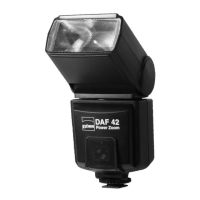
The DAF-42 equipped with an AF red light beam. AF reex cameras require a minimum of contrast for proper
distance settings. In weak light conditions the available contrast of the object may not be sucient for
automatic focusing. In this case your ash projects a contrast pattern onto the object as soon the camera´s
shutter release is slightly touched. With the support of the AF red light beam, the auto-focus system of your
camera can now recognize structures and even in darkest rooms the exact distance can be determined
quickly and precisely. The AF red light beam covers a range of approx. 1 to 8 m.
Note: Depending on the camera model it may be the case that the camera´s built-in AF red light beam takes
priority. In this case the AF red light beam of the ash is not activated.


 To Next Page
 Loading...