14
15
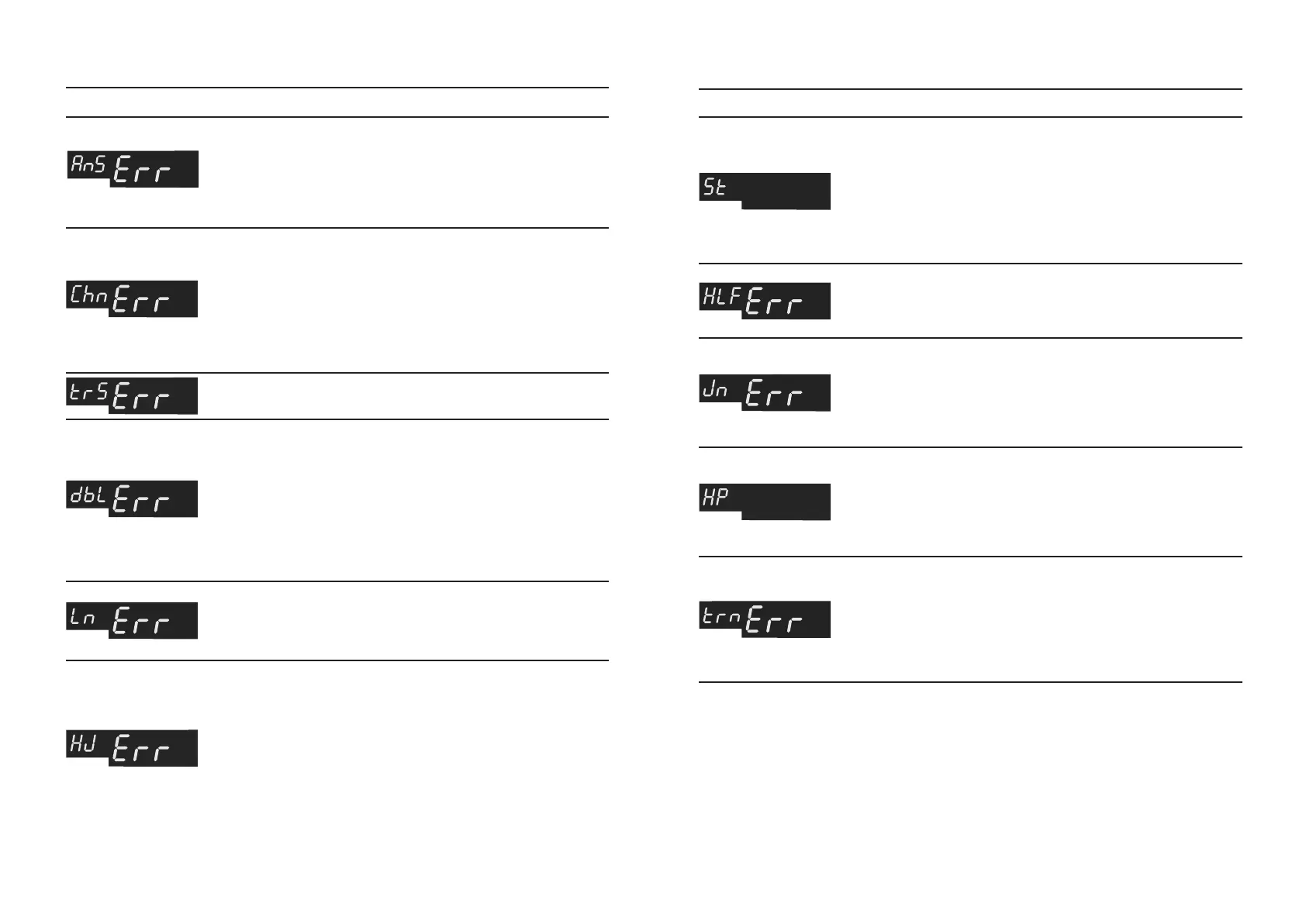
Table 2а. Error Codes Displayed When Counting Table 2а. Error Codes Displayed When Counting
A continuous chain: the
banknotes cannot be
separated for correct
counting.
There is detected a very
transparent banknote.
Remove the banknote.
There is detected a
doubled or a very dark
banknote.
A banknote length is
different from the length of
the previous ones by more
than 10%.
The banknote gets jammed
in the hopper; the counter
cannot load the banknotes
from the hopper.
A banknote without Anti-
Stokes is detected.
Switch off AS function.
Remove the banknotes that
got stuck together. Adjust the
clearance of the feeder for
operation with thinner banknotes.
Turn the screw 6 (Fig. 1)
clockwise to get the proper
clearance.
Remove the banknote from
the stacker. Adjust the clearance of
the feeder for operation with thinner
banknotes. Turn the screw
6 (Fig. 1) clockwise to get the proper
clearance.
There are banknotes in
the stacker.
Remove the banknotes from the
stacker. The counter continues
c o u n t i n g au t o m a t i c a l l y (i n
automatic mode) or after the
«START/CLR» key has been
pressed (in manual mode).
There is detected a
folded or a damaged
banknote.
Remove the banknote.
The banknotes are
jammed inside the
device. The counter is
unable to continue
counting.
Switch the counter off. Eliminate
the jammed banknotes carefully
in a m anu a l way, a voi d a ny
banknote damage. Switch the
counter on.
There are no
banknotes in the
hopper when the
counter operates in a
manual start mode.
Add some banknotes into the
hopper. The counter continues
counting after the
«START/CLR» key has been
pressed.
A foreign object or a
banknote blocks one of
the counting sensors.
The self-cleaning of machine is
carried out in case of banknote’s
j a m . O t h e r w i s e s w i t c h t h e
counter off. Remove the foreign
object from the path. Switch the
counter on.
BANKNOTE COUNTER DORS 620 / 600BANKNOTE COUNTER DORS 620 / 600
ERROR CODE CAUSE OPERATOR’S ACTIONS
Remove the banknote with a
non-standard length.
Adjust the banknote guides.
If required, adjust the
clearance for operation
with thicker banknotes.
Turn the screw 6 (Fig. 1)
counter-clockwise to get the
proper clearance.
ERROR CODE CAUSE OPERATOR’S ACTIONS



 To Next Page