EasyManua.ls Logo

Dors 85 - User Manual

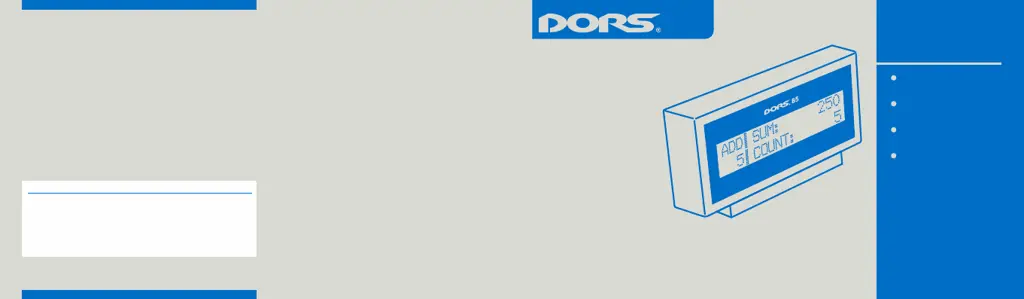
Dors 85
7 pages
Print Icon
To Next Page IconTo Next Page
Loading...
2017
User Manual
Version 0.0 Int
Production date:
85
Pantone 300C Pantone Cool Gray 2C
EBKM.000D85.00.00.000-02UM Int
COMPATIBILITY:
DORS 700
DORS 750
DORS 800
DORS 820
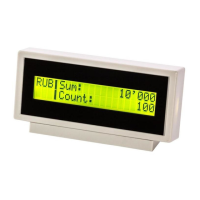
UNIVERSAL EXTERNAL
DISPLAY
USER MANUAL

Questions and Answers

  • C
    Chelsea SuttonAug 10, 2025
    What to do if my Dors Banknote Counter fails to switch on?
    • W
      Wayne VargasAug 10, 2025
      First, ensure the power cable is properly connected to both the AC mains outlet and the AC mains connector on the rear of the counter. Also, verify that the AC mains switch is in the 'I' position. If the Dors Banknote Counter still doesn't switch on after checking these connections, contact a technician.
  • U
    uandersonAug 15, 2025
    What to do if the Dors Banknote Counter display shows an undefined message?
    • K
      kennethlloydAug 15, 2025
      Try restarting the Dors Banknote Counter. If the display continues to show a message not described in the Error Messages table, contact a technician.
  • J
    Joseph HensonAug 20, 2025
    Why does my Dors Banknote Counter make abnormal noises?
    • R
      rdelgadoAug 20, 2025
      If you notice an abnormal noise level or hear foreign sounds coming from inside the Dors Banknote Counter, immediately switch it off and contact a technician.
  • T
    Timothy WhiteAug 25, 2025
    What to do if my Dors 85 display shows an undefined error message?
    • J
      Jack HawkinsAug 25, 2025
      If your Dors Cash Counters & Coin Sorters display shows a message not described in the «Error Messages» table, switch the sorter off and then switch it back on. If the sorter still doesn't work, call the technician.
  • D
    David BridgesAug 30, 2025
    What to do if my Dors Cash Counters & Coin Sorters makes abnormal noises?
    • A
      Amy CummingsAug 30, 2025
      If you notice an abnormal noise level or foreign sounds coming from inside your Dors Cash Counters & Coin Sorters machine, immediately switch it off and call the technician.
  • J
    Jose TaylorSep 4, 2025
    How to fix a Dors Cash Counters & Coin Sorters that won't turn on?
    • K
      Kevin BennettSep 4, 2025
      To troubleshoot a Dors Cash Counters & Coin Sorters that fails to switch on: * Ensure the sorter is properly connected to the power supply. * Verify the power cord is securely plugged into the connector on the back of the machine. * Confirm that the power switch is in the «I» position. If the machine still fails to switch on after checking these points, call the technician.

Dors 85 Specifications

General IconGeneral
BrandDors
Model85
CategoryCash Counters & Coin Sorters
LanguageEnglish

Related product manuals