Need help?
Do you have a question about the Douglas Battery LegaC2 DL3 and is the answer not in the manual?
Charger part number specifying its characteristics, essential for correspondence.
Letter codes indicating charger output power in part numbers, detailed in the following table.
Letter codes for charger part numbers indicating module slots and DC cable size.
Number codes in charger part numbers indicating DC output voltage(s).
Letter codes for charger part numbers indicating AC line voltage and frequency.
Letter codes in charger part numbers indicating the charging profile.
Charger senses battery voltage and begins charging after a short delay.
Charging current adjusts based on battery voltage and state, declining as charge progresses.
Charger restarts cycle upon power restoration, retaining settings and date/time.
Details voltage addition and ampere-hour rating requirements for series charging.
Chargers are compatible with 12-80 volt batteries, recognizing voltage, capacity, and state of charge.
Supports various profiles like Cold Storage, STD Flooded, Opportunity, Gel-Bloc, VRLA, with integrated equalization and refresh.
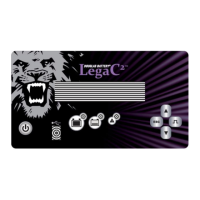
Overview of the control panel, identifying buttons, indicators, and display.
Details the functions of navigation, enter, stop, start, and equalize buttons.
Explanation of the red fault, yellow charging, and green complete indicator lights.
Accessing and navigating the Main Menu, listing available functions.
Display screen showing details of the last 200 charge cycles.
Procedure to view charge history details using navigation and enter buttons.
Overview of the status screen displaying charge counts, faults, and temperature faults.
Detailed explanation of status indicators like Charge, DF1 etc., and TH.
 General
| Brand | Douglas Battery |
|---|---|
| Model | LegaC2 DL3 |
| Category | Battery Charger |
| Language | English |


 To Next Page