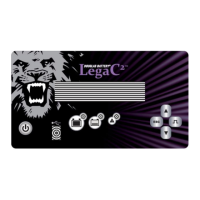
The Douglas Battery Legacy and Legacy Gold DL/DLG Series are ferroresonant industrial battery chargers designed for charging lead-acid batteries. These chargers are full-wave, silicon-rectified units that regulate charging current through ferroresonant transformers. The transformers allow the battery to determine its own charge rate based on its state of discharge. A solid-state, pre-programmed microcomputer provides total control of charge termination, preventing both undercharging and overcharging. The microcomputer also incorporates built-in fault detection to ensure correct battery connection and smooth operation. Charge termination is automatic, based on dv/dt-di/dt (voltage slope detection with current compensation).
Important Safety Instructions:
Working with lead-acid batteries is dangerous due to the explosive gases they generate. It is crucial to read and follow all instructions before using the charger. Never smoke or allow open sparks or flames near the battery or engine. The charger is intended for lead-acid batteries only and should not be used to power low-voltage electrical systems or charge dry-cell batteries, as this could cause them to burst and result in injury or property damage. Never charge a frozen battery. The charger should not be operated in a closed-in area or with restricted ventilation. There is a risk of electrical shock; do not touch uninsulated portions of the output connector or battery terminal. Always disconnect the power supply before changing fuses or servicing the charger.
Receipt and Inspection:
Upon receipt, verify the shipping carton information against your order. Report any discrepancies to an authorized representative. Move the charger to the installation site before uncrating, if possible. Chargers can be handled with a lift truck by inserting forks under the bottom. After removing the carton, inspect for damage. If damage is found, save the carton for inspection and notify the carrier immediately. Check the nameplate and labels against your order and specifications, reporting any discrepancies immediately.
Control Features:
- Automatic Delayed Start: A five-second delayed start occurs upon connection of a properly sized, good battery.
- Battery Voltage Sensing: Determines if a proper battery is connected, preventing charging if the battery is bad, not connected, or if there's a mismatch in voltage.
- Continuous Monitoring: Battery voltage and current are continuously monitored and controlled.
- Automatic Charge Termination: Utilizes dv/dt-di/dt (voltage slope detection with current compensation).
- Negative Battery Slope Termination: Prevents overcharge and thermal runaway.
- Automatic 12-hour "REFRESH" Charge: Adds a top-off charge to a fully charged battery 12 hours after normal charge completion, provided the battery remains connected. This feature can be disabled on Legacy Gold models by removing R35 from the control board.
- Automatic Shutdown Lockout: Prevents a charge from starting after a manual or problem shutdown until the "Shutdown" battery is disconnected.
- Manual STOP Switch: Stops the charging process. The display will show "OFF" until the battery is disconnected. When pressed without a battery connected, it displays the delay start setting. During watering mode (Legacy Gold only), it terminates watering but allows refreshes if the battery remains connected.
- Programmable Delayed Start: A thumbwheel switch allows delaying the start of charge from one to nine hours.
- Optional Automatic Equalization Cycle: Occurs every 5th charge cycle. Enabled via DIPswitch (DLG) or by removing W1 (DL). A charge cycle is counted if the battery is on charge at less than 80% for at least one hour.
- Equalize Switch (Legacy Gold Only): When depressed, this switch toggles a three-hour additional manual equalizing charge. An "E" will be displayed (and flash during the cycle). Pressing this switch before connecting the battery displays the number of cycles remaining before the next auto-equalize.
- Automatic Shutdown: Occurs for five failure conditions, indicated by a flashing SHUTDOWN LED:
- "Lo U": Battery voltage less than 1.7 volts per cell. Charger will start when voltage exceeds 1.7 vpc.
- "HI U": Battery voltage greater than 2.8 volts per cell.
- "dISC": Battery disconnected during charge.
- "dur": Charge time duration exceeded (backup timer expired during "high rate" charge).
- "Lo I": Charging current less than approximately 3 amps.
- LED Indicators:
- "CHARGING": Charger is actively charging.
- "80%": Battery voltage is greater than 2.37 vpc.
- "CHARGE COMPLETE": Charge cycle terminated normally. Flashing (1/2 second on every 4 sec.) indicates auto-equalize is set. Flashing on and off each second with "CHARGING" and "80%" LEDs lit continuously indicates refresh mode.
- "SHUTDOWN": Unit shut down due to a fault.
- LED TEST Button: Illuminates all LEDs and display segments.
- Display Mode Switch (Legacy Gold Only):
- Press once: Displays AMP-HRS RETURNED.
- Press twice: Displays TOTAL CHARGE TIME.
- Press three times: Displays average BATTERY VOLTAGE/CELL.
- The display shows the selected function for approximately 10 seconds, then returns to current or sequencing dash.
- Digital Display Readout: Shows charging current, fault codes, delay start time, equalize mode, Amp-Hours returned, charging time, Volts per Cell, cool-down time, and watering cycle (Legacy Gold Only).
- Watering Signal (Legacy Gold Only): A low current signal (P3-3) goes high at the end of every charge cycle (watering mode). It pulses on for 15 sec. and off for 15 sec. for 20 repetitions, or continuously for 5 min (DIP switch selectable). This signal interfaces with an external circuit for operating a watering valve. The display shows 'H2O' during watering. To prevent over-watering, this signal will not occur if the charge reaches 80% in less than 5 minutes from the start of charging.
Installation:
- Physical Location: Charging areas should be clean and dry, with temperatures between 32°F (0°C) and 77°F (25°C), occasionally up to 104°F (40°C). No combustible materials, open flames, or smoking are permitted. Ensure adequate ventilation to prevent gas accumulation.
- Mounting: Chargers must be mounted on a non-combustible surface (stone, brick, concrete, or metal). Mounting holes are provided. Most chargers can be stacked up to three high; consult a representative for specific instructions if stacking.
- Input Power Connection: Chargers are factory-set for the input voltage specified on the purchase order (indicated by a "STOP" label inside the door). If a different AC voltage is needed, refer to Section 8.2.1 for changing the AC input line voltage. WARNING: Verify AC electrical service is disconnected at the source before connecting power. AC input terminals are identified by a red-on-white sticker near the fuse block. Use 14 AWG to 2 AWG wire for input terminals (torque as listed on fuse block). The ground lug is rated for 14 AWG to 6 AWG wire (12 in lbs torque). Connect a bare, green, or green with yellow stripe grounding wire from the Grounding Terminal (green-on-white label) to the system ground or a driven ground rod per electrical codes. Proper application and tight connections are vital.
- Output Power Connection: Chargers are furnished with an output charge plug or receptacle. Verify that the battery and charger connectors are correct and that positive polarity (red) connects to the battery's positive terminal.
- DIP Switch Settings (Legacy Gold Only): Located on the component side of the control board. Factory default is all switches ON, except for 50 Hz units. Settings include single/double di/dt compensation, normal/triple dv/dt termination, 60/50 Hz operation, display/no display cool-down time, auto-equalize disabled/enabled, normal/double current display, pulsed/continuous water signal, and 80% point at 2.37 vpc/2.45 vpc.
Operating Procedure:
- Preliminary Setup: With all power removed, set DIPswitches according to the tables. Once power is applied, a "dash" sequences across the display, indicating "IDLE MODE" and awaiting battery connection.
- Immediate/Delay Start: The charger can be programmed for an immediate start (5-second delay) or a delay of one to nine hours. Units are shipped set for immediate start (0-hour delay). If a power failure occurs with a battery connected, the charger will override any delayed start and initiate an immediate charge when power returns. After termination, the delay start function resumes normally.
- Remove AC power.
- Open the cabinet door.
- Locate the DELAY START thumbwheel switch behind the front panel and adjust to the desired delay hours.
- Close and secure the cabinet door.
- Apply AC power.
- Without a battery connected, the setting can be checked by pressing and holding the stop button. With a battery connected, the display shows the countdown to charge initiation.
- Charging the Battery: Match the battery's cell count and amp-hour capacity to the charger's nameplate rating. Connect the battery to the charger. The control measures the average volts/cell.
- If the control verifies a good battery (1.7 to 2.8 volts/cell), the display shows a countdown, and LEDs flash. Charging begins when the countdown reaches zero.
- If average volts/cell is less than 1.7 volts, the display shows "Lo U," and the red SHUTDOWN LED flashes. Charging will not begin but will automatically start if voltage floats above 1.7 vpc.
- If average volts/cell is greater than 2.8 volts, the display shows "HI U," and the red SHUTDOWN LED turns on. Charging will not begin.
- Once charging begins, the display counts down from 9 to 0, then shows output current in amperes. The green CHARGING LED is on.
- Termination of Charge:
- CHARGE COMPLETED TERMINATION: Occurs when the battery reaches full charge, based on dv/dt-di/dt measurement. The CHARGE COMPLETED LED turns on, and the display enters IDLE MODE, showing cool-down time on Legacy Gold units.
- MANUAL TERMINATION: Press the STOP push-button switch. Crucially, press the STOP button BEFORE disconnecting a charging battery to prevent damage to the charger. The red SHUTDOWN LED will be on continuously (until battery removal), and the display will show "OFF."
- PROBLEM SHUTDOWN: Indicated by a flashing red SHUTDOWN LED and a FAULT code (section 4.12). After battery removal, the SHUTDOWN LED flashes for one hour. The display remains on until the battery is disconnected.
- REFRESH CHARGE: If a battery remains connected for 12 hours after charge completion, the control restarts a charge cycle. This typically lasts 35 minutes, with dv/dt-di/dt termination. In REFRESH mode, charge amps are displayed, CHARGING and 80% LEDs are on, and CHARGE COMPLETE LED blinks. A two-day weekend may involve three to five refresh cycles. Automatic REFRESH can be disabled by removing R35 from the control board.
- LED TEST (Legacy Gold Only): Pushing the LED TEST button illuminates all LEDs and display segments to confirm functionality.
- THREE-HOUR EQUALIZE CYCLE:
- Automatic: A 3-hour AUTOMATIC EQUALIZATION cycle occurs every 5th charging cycle if enabled (DIP Sw 5 OFF for DLG, W1 removed for DL). A cycle is counted only if 1 hour or more is needed to reach 80% charge.
- Manual: The manual Equalize button provides a timed three-hour charge extension after dv/dt-di/dt termination. It does not reset the automatic equalize counter.
Charger Cabinets:
- Single Phase: 26" H x 21" W x 19" D
- Three Phase: 29" H x 29" W x 23" D
Maintenance:
IMPORTANT: BEFORE PERFORMING ANY MAINTENANCE:
A) If charging, terminate by pressing STOP.
B) Disconnect the battery.
C) Remove AC power.
D) Lock and tag unit out of service.
WARNING: HIGH VOLTAGES EXIST. SERVICE ONLY BY QUALIFIED PERSONNEL.
Troubleshooting Guide:
- Symptom: Power applied, but display is not on!
- AC Power Connection: Verify AC input line is connected to AC FUSE BLOCK and AC power is present at charger.
- Control Transformer: Measure AC input voltage at Control Transformer primary. If no voltage, repair open circuit. Measure secondary voltage across terminals 5&7 (should be 18-20 volts rms). If no voltage, replace Control Transformer. If voltage is extremely high or low, verify AC line input to Control Transformer (Refer to Section 8.2.1).
- Main, Cell Select Connections: Verify proper connection and polarity of Main board and Cell Select board and cables.
- Main Board: If Control Transformer voltage is appropriate, disconnect and reapply AC power to reset Micro controller. If display is still off, replace main and/or cell select board.
- Symptom: Power applied; display is in IDLE MODE but charger will not start; or charge starts but is terminated immediately!
- Proper Battery: Verify battery cell count matches charger. Check Fault codes (section 4.12).
- Battery Condition: Measure total battery voltage. Divide by cell count for average volts per cell. If average volts per cell is less than 1.5 volts or greater than 2.8 volts, the battery is bad.
- AC & DC Fuses: Disconnect battery and AC input power. Verify fuses are not open; replace defective fuses and check:
a) Battery-to-charger cables connected with proper polarity.
b) Terminal Block with Jumpers correctly configured for AC input voltage (Refer to Section 8.2.1).
c) Rectifier Diodes: Disconnect AC power and battery. Locate rectifier diodes on heatsink. Remove connecting wires. Test and replace if faulty.
d) All connections are tight.

 Need help?
 General

 To Next Page