
 Need help?
Do you have a question about the Douwe Egberts Cafitesse 700 and is the answer not in the manual?
Explains key symbols like NOTE and WARNING for user guidance and safety.
Covers manual reading, authorized personnel, spare parts, installation, and general safety.
Details warnings about hot liquids, electrical safety, water jets, and user supervision.
Covers storage of products, hygienic handling, checking packs, and user instructions.
Details dispenser cleaning, filing reports, service instructions, and staff training.
Provides detailed specifications on dispenser height, width, depth, and weight for different versions.
Outlines requirements for water connection, pressure, temperature, and electrical loads.
Includes cable length, acoustic emission, installation requirements, and available options.
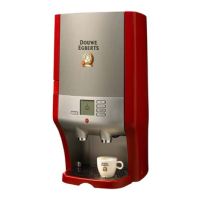
Identifies and lists components on the front and rear of the dispenser, including touch screen and outlets.
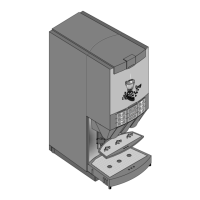
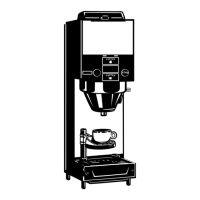
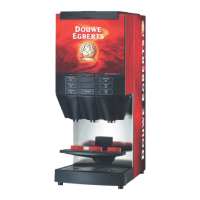
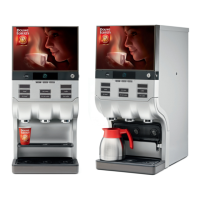
Illustrates component variations for cup, pot, and large pot versions of the dispenser.
Steps for initial setup, including water tap, mains plug, product packs, and initial flushing.
Instructions for putting the dispenser into STANDBY mode or unplugging it for long periods.
Explains how to trigger drink delivery via pre-selection or direct button press.
Details porti oned and continuous delivery modes, and other delivery modes.
Guides on how to position cups or pots under the outlets for proper dispensing.
Instructions on how to adjust the cup stop for different vessel sizes under each outlet.
Procedure for vertically adjusting the cup carrier for pots and swivelling for espresso cups.
Steps for authorised personnel to enter and exit the operator mode using a tag.
Lists programmable functions like language, acoustic signals, and error message display.
How to view status and error messages on the screen and contact service.
Procedure for deleting error messages via the ON/STANDBY/CLEAR switch.
Explains navigation using the touch screen, scroll bar, and cursor arrows.
Details functions available in the operator menu like Cleaning, Drink Counters, Prices, etc.
Emphasizes regular cleaning, specific procedures (Flushing, Cleaning & Flushing), and agent usage.
Defines intervals for Flushing (weekly/daily) and Cleaning & Flushing (weekly) with work types.
Explains how the display indicates cleaning requirements and consequences of overdue cleaning.
Procedure to initiate cleaning or flushing programs using touch screen gestures.
Instructions for removing product packs and cleaning the ingredient storage and doser holes.
Details removing/cleaning the trough and lid, and cleaning drip grids and trays.
Guides on flushing the hot water outlet and product outlets with safety warnings.
Instructions for cleaning the trough and lid, preferably in a dishwasher or by hand.
Describes the optional drainage foot for draining liquids from the drip tray.
Information about converting the dispenser for cold beverages like café cool, iced choco.
Details the optional water tank for manual filling when water connection is unavailable.
Describes special magnetic adapters for smaller 1.25 L/0.33 gal product packs.
Mentions optional swing-out cup carriers for precise espresso cup positioning.
Describes optional feet to raise the dispenser for easier cleaning underneath.
Notes that the dispenser is prepared for various payment systems.
 General
| Brand | Douwe Egberts |
|---|---|
| Model | Cafitesse 700 |
| Category | Coffee Maker |
| Language | English |



 To Next Page
