Tips:
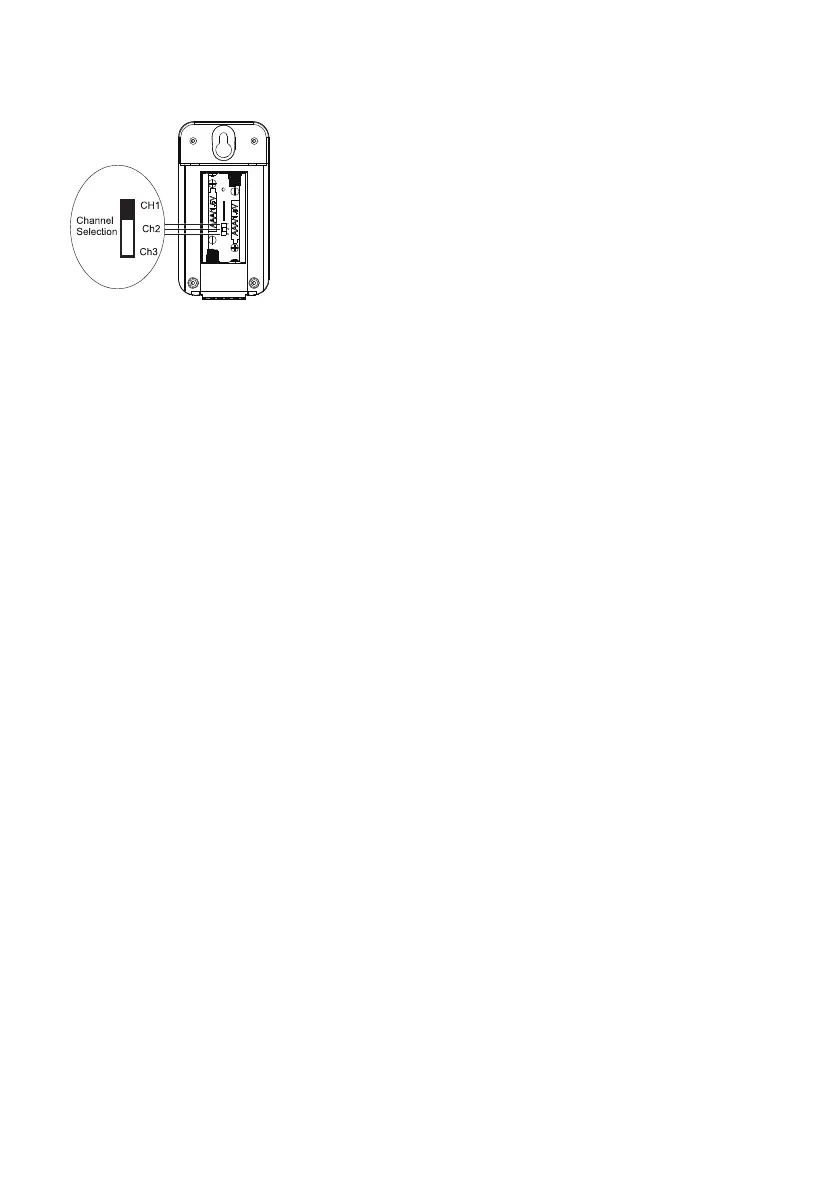
• The default channel of outdoor temperature sensor is "ChT'. Open the battery cover of
sensor and remove the batteries can switch the channel.
(The Outdoor Temperature Sensor)
• Under cycle display mode, The display would show outdoor temperatures from connected
channels cyclically.
• If the indoor or outdoor temperature is out of the normal range, the low end displays "LL",
the high end displays
3.3 Alarm Setting
• Under normal mode, Press “MODE” key to switch the normal mode→AL1 mode→AL2
mode (cycle display). AL1 default time 6:00 am, AL2 default time 12:00 am.
• Under AL1 mode, press and hold “MODE” for a few seconds to enter AL1 alarm setting
(Hold until button flashes).
Setting steps: AL1 Hour→AL1 Minute→Exit.
A. Press "UP" key, the number will go up; press and hold for 3 seconds, the number will
continually going up.
B. Press “DOWN” key, the number will go down; press and hold for 3 seconds, the number
will continually going down.
C. After setting, press “MODE” to confirm and exit.
If no key is pressed for 10 seconds to exit setting status, the setting saved. Setting steps
of AL2 is the same as that of Ai1.
• Under normal mode, Press "ALARM" to turn on/off the alarm in sequence:
AL1 ON→AL2ON→AL1 and AL2 On→ALI and AI2 Off.
3.4 SNOOZE/LIGHT KEY
• Under normal mode, press “SNOOZE/LIGHT” key to adjust brightness. Adjust in sequence
when powered by adapter Bright-normal—turn off-*bright (loop). Adjust in sequence when
powered by batteries: Bright→normal→bright(loop).
• Under alarm mode, press “SNOOZE/LIGHT” key for a few seconds to enter snooze interval
setting. Default interval is 5 minutes, optional setting is ranged from 3 minutes to 20
minutes.
• When alarm is beeping, press “SNOOZE/LIGHT” key to turn on snooze.
3.5 Weather Forecast Function
• 6 levels of weather forecast can be displayed: sunny, sunny and cloudy, cloudy, rainy,
heavy rain, snowy.
• Dynamic weather forecast display
Please take the weather forecast from your local weather forecasting service into account
as well as the forecast from your weather station. If there are discrepancies between the
information from your device and from the local weather forecasting service, please take
the advice of the latter as authoritative.
The weather forecast is calculated from evaluation of fluctuations in the barometric
pressure and may deviate from the actual weather conditions.
The weather symbols indicate the weather fluctuation over the next 24 hours and not the
current weather.
-2-


 To Next Page
 Loading...