(Snooze Interval Time Setting Display)
• Press “Up” key, the value will go ahead 1 step, press and hold “UP” key for 2 seconds, the
value will go ahead at an 8 step/second speed.
• Press “DOWN” key, the value will go back 1 step, press and hold "DOWN" key for 2
seconds, the value will go back at an 8 step/second speed.
• After setting, press “MODE” to exit.
• If no key is press for 10 seconds to exit setting status, the value will stay.
4.3 Temperature Alert Setting
• Under time mode, press the “ALERTS” key to enter the temperature alert mode to check
out alarms for highest and lowest temperatures indoor and outdoor.
• Under temperature alert mode, press the “UP” key or ,“DOWN” key to turn the alarm on/off.
After Alarm is set On, the corresponding alarm symbol will display.
• Under time mode, press and hold “ALERTS” key for a few seconds until the display flashes,
press the “ALERTS” key to set 4 temperature alerts. In order of highest temperature
outdoor; lowest temperature outdoor.
highest temperature indoor; lowest temperature indoor.
• Indoor temperature upper limit: 50°C (122°F ), lower limit: 0°C ( 32°F ).
• Outdoor temperature upper limit: 70°C (158°F ), lower limit: -40°C (-40°F ).
• Press “UP”,the value will go ahead one step; press and hold for 2 seconds, the value will
go ahead at an 8 step/second speed.
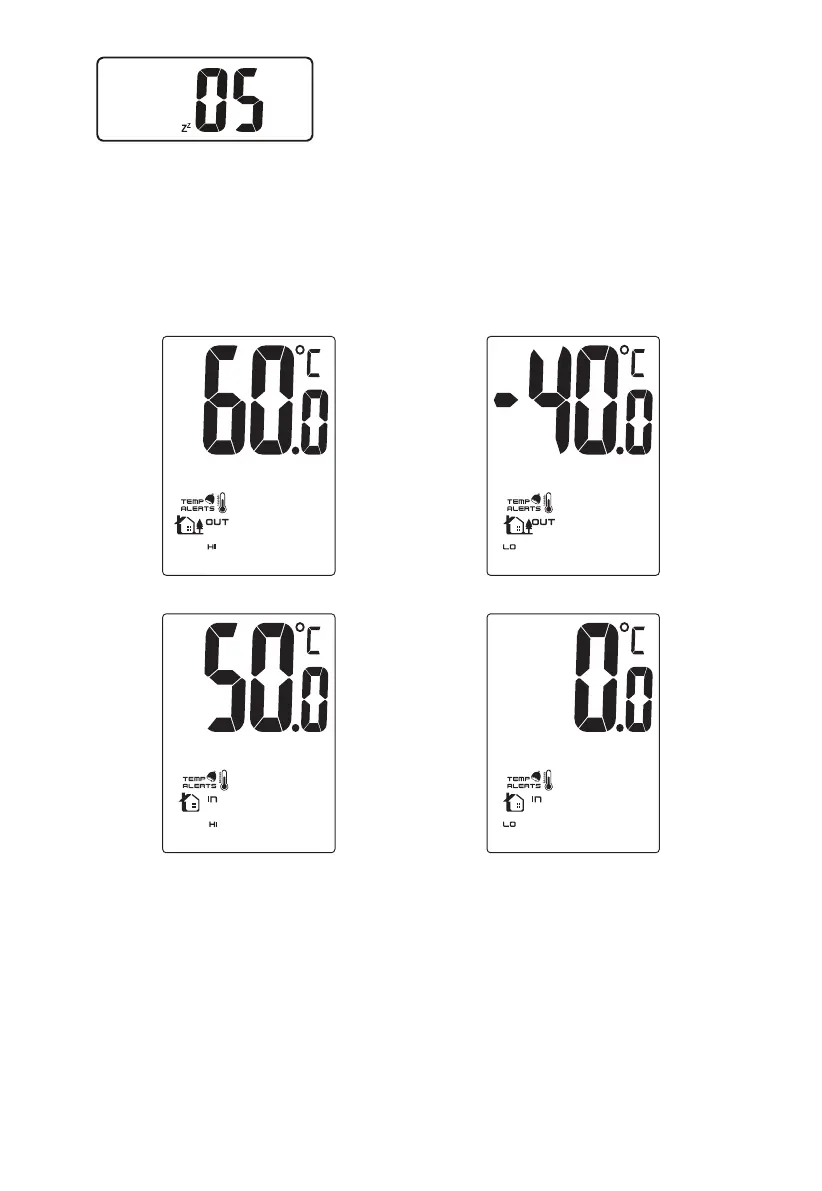
(The Highest Outdoor Temperature Display) (The Lowest Outdoor Temperature Display)
(The Highest Indoor Temperature Display)
(The Lowest Indoor Temperature Display)
-5-


 To Next Page
 Loading...