EasyManua.ls Logo

Doyon BTF020 - User Manual

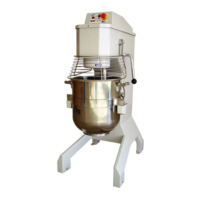
Doyon BTF020
32 pages
Print Icon
To Next Page IconTo Next Page
Loading...
BTF010, BTF020, BTF020, BTF040H, BTF060, BTF060H,
BTFP60
Product / Produit:
Serial number / Numéro de série:
ÉQUIPEMENT DOYON INC.
1255, rue Principale
Linière, Qc, Canada G0M 1J0
Tel.: 1 (418) 685-3431
Canada: 1 (800) 463-1636
US: 1 (800) 463-4273
FAX: 1 (418) 685-3948
Internet: http://www.doyon.qc.ca
e-mail: doyon@doyon.qc.ca

Other manuals for Doyon BTF020

Questions and Answers

  • J
    jacqueline00Aug 12, 2025
    What to do if my Doyon Mixer doesn't turn on?
    • H
      hendersonjenniferAug 12, 2025
      If your Doyon Mixer isn't turning on, there are several things to check: * Ensure the electric cord is properly connected. * Check the building's breaker. * Verify the main power switch is on. * Make sure the stop switch is pulled out. * Confirm the bowl guards are correctly closed. * Check that the bowl lift is in the upward position. If it still doesn't work, it is recommended to call a technician.
  • L
    Leah GarrettAug 21, 2025
    What to do if Doyon BTF020 displays (ER) on the speed display and (RO) on the time display and doesn't work?
    • H
      Holly HarrisAug 21, 2025
      If your Doyon mixer displays (ER) on the speed display and (RO) on the time display, try turning off the main switch for 1 to 2 minutes, and then turn it back on. This should return the machine to its normal operation. If the issue persists, contacting technical service is advisable.
  • B
    bstewartAug 31, 2025
    Why does my Doyon BTF020 Mixer display (OP) on the speed display and (EN) on the time display and not start?
    • W
      wcrawfordAug 31, 2025
      If your Doyon Mixer displays (OP) on the speed display and (EN) on the time display and doesn't start, ensure that the safety guard and the bowl are positioned correctly.

Doyon BTF020 Specifications

General IconGeneral
BrandDoyon
ModelBTF020
CategoryMixer
LanguageEnglish

Related product manuals