33
VII. Miscellaneous
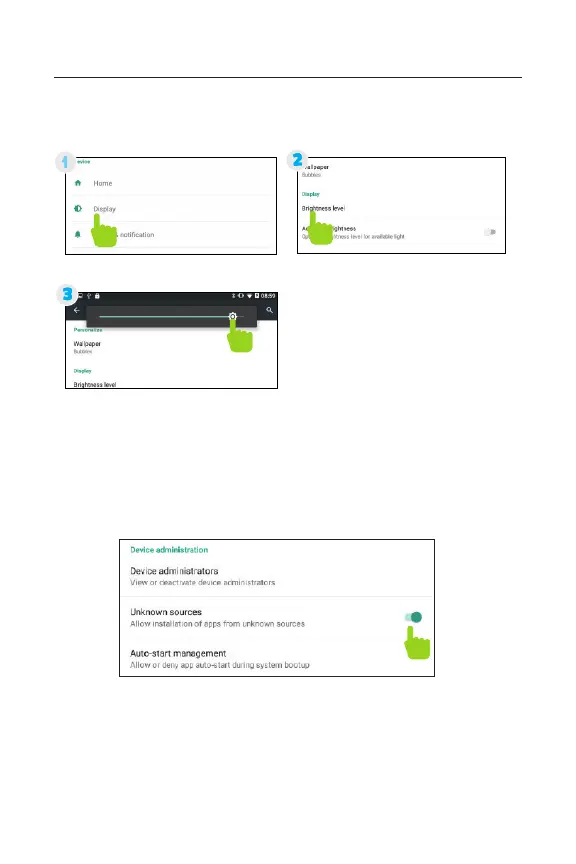
1. Adjusting Your Screen Brightness
Tips and Tricks/FAQs
2. Apps Won’t Install
In the Settings app, tap “Security”. Be sure “Allow installation of
apps from unknown sources” is checked.
Note: You must allow installed apps to be accessed in the
Parent Dashboard. See the Adding & Removing apps section
on page 11 for more information.
In Settings, tap “Display”
Use the slider to adjust
the brightness.
Then tap “Brightness”
Tip: Lower the brightness
at night to extend your
battery life.



 To Next Page