7
II. Initial Setup
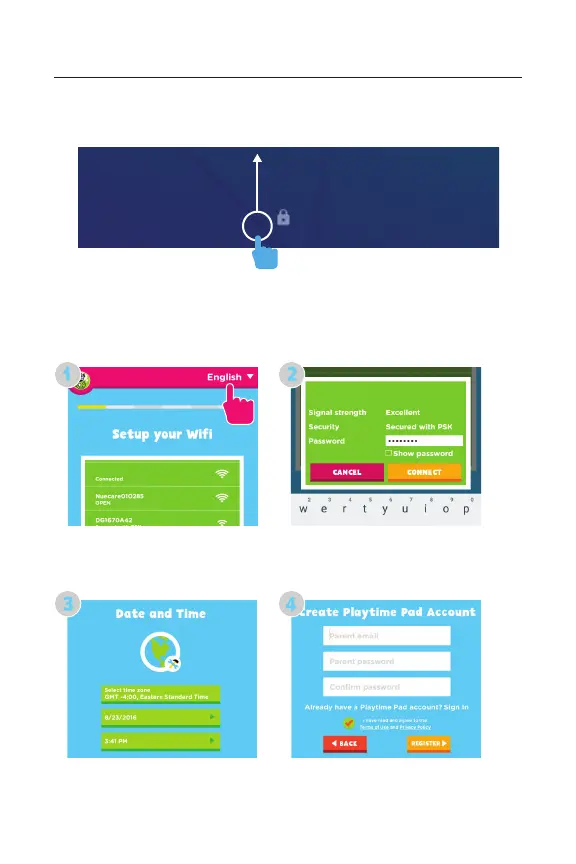
Lock Screen
Slide the padlock icon up to unlock the screen.
User Setup
Follow the steps upon initial startup to begin using your
Playtime Pad.
Choose your language and then your Wi-Fi network. Enter your
Wi-Fi password, then tap “Connect.”
Set Date and Time, and tap “Next” when done. Then create a
Playtime Pad account.
DPAV Wi-Fi
DPAV Wi-Fi



 To Next Page