Before You Start
01
8
33
06
CD/MP3/SD/USB
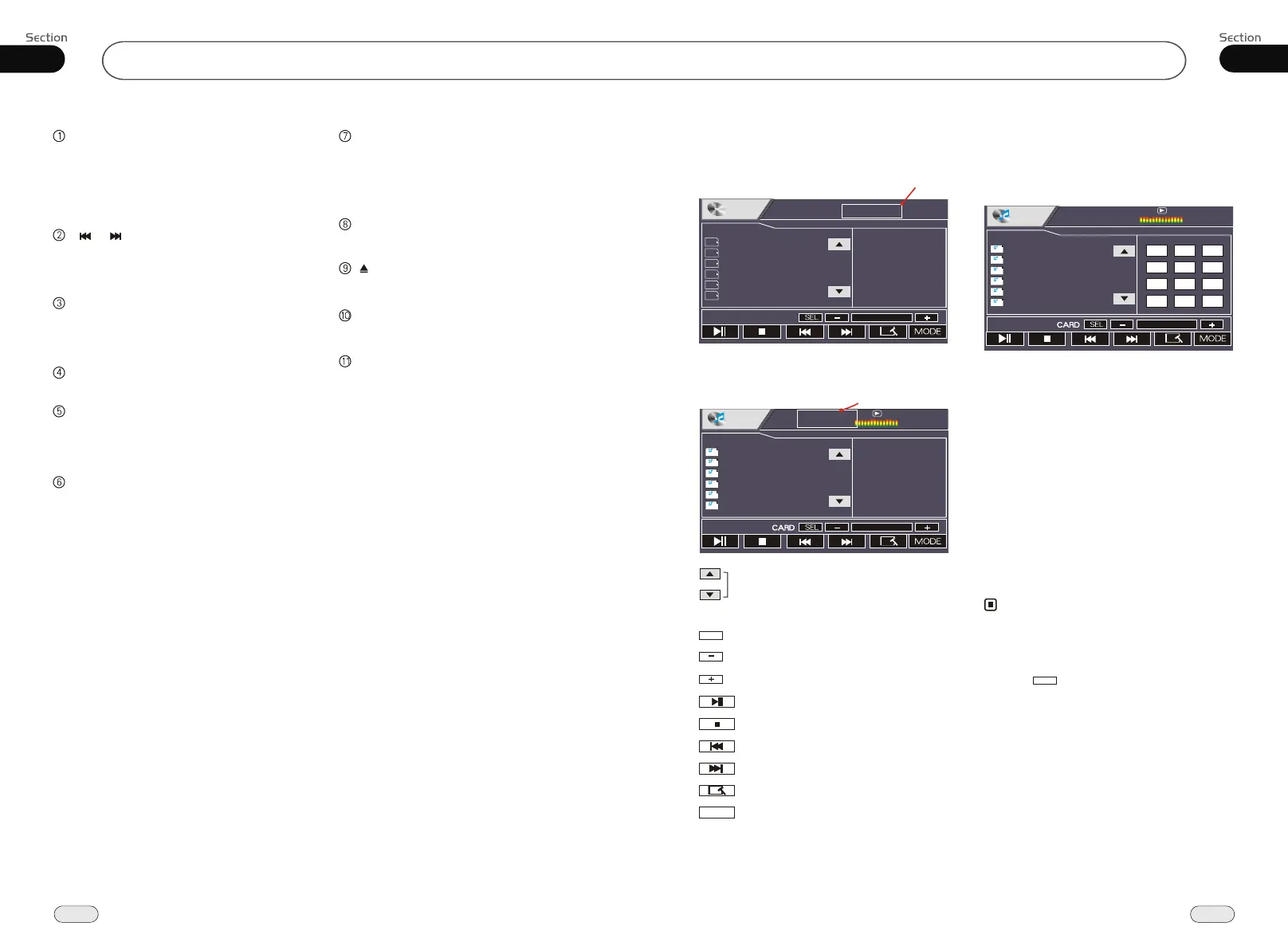
During CD playback, touching the screen
shows the following menu:
CD/MP3/SD/USB Setup
Track region
During MP3/SD/USB playback, touching the
screen shows the following menu:
Track region
Scan the tracks
CARDCARD
To show SD card or USB
SELSEL
Sound characteristics
Decrease volume level, adjust some items
Increase volume level, adjust some items
Play/pause
Stop
Previous track
Next track
DVD setup menu
MODE
Mode selector
CD/MP3/SD/USB Play
Insert a CD/MP3 disc into the slot, the unit
will play automatically.
Press REL after turning the unit on, then
insert a SD card when the TFT slanted and
the programs in the card will be played.
From the back of the main unit insert the
USB and programs in the USB will be pl-
ayed.
If there is a disc, USB or SD Card loaded,
press SOURCE on the remote control or
back to MENU to select corresponding
mode to play.
Note:
*
Press SRC on the main unit to switch to DVD
mode. When SD card and USB were inserted
into, press this key again and again to switch
among USB, SD card and disc.
*
Press to turn to mode switch.
MODE
01:18
CD
01 Track
02 Track
03 Track
04 Track
05 Track
06 Track
CD
CD
CD
CD
CD
CD
Track 03/16
Track Region:
Press this region and the screen
shows the following menu:
number keys appears, touch the
number to select tracks.
Touch the " X " to exit this menu.
MP3
MP3
MP3
MP3
MP3
MP3
MP3
Demo
amour
Automatic
Be natural_s_e
Can you celebr
clon_bing bing
00:00
001/105
00:00
1
2
3
4
5
6
7 8
9
--
0
X
00:00
001/105
00:00
MP3
MP3
MP3
MP3
MP3
MP3
MP3
Demo
amour
Automatic
Be natural_s_e
Can you celebr
clon_bing bing
*
Bit rate not more than 320kbps.
*
Supports ID3V1.
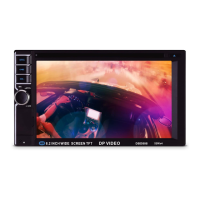
SRC/PWR
During waiting mode, press it to turn on the
unit. During working mode, Briefly press it
to select radio mode or playback mode, press
and hold it to turn the unit off.
[ ]/[ ]([Adjust frequency backward/
Previous]/[Adjust frequency forward/
Next Track])
REMOTE (Infrared Sensor)
MUT Button
Briefly press it to mute, press and hold it to
enter night mode.
SEL/MENU Button
Briefly press it to select functions , press and
hold it to enter the MAIN MENU.
+/- Button
Press it to decrease or increase the volume,
and to adjust the numerical value of other
functions with pressing SEL Botton.
After pressing REL, press +/- to adjust the angle
of TFT.
REL Button
Briefly press it to slidedown the monitor, then
you can insert or eject a disc or a SD card.
Press and hold it, the monitor shows ANGLE,
then press +/- to adjust angle.
Press it to set the unit to initial status.
RES Button
Disc Loading Slot
Press REL first before you load the disc.
Press it to eject a disc.
(Eject) Button
Common SD Card Slot


 To Next Page