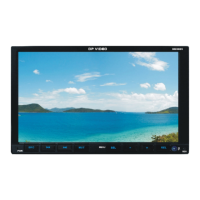
Need help?
Do you have a question about the DP VIDEO DBD808 and is the answer not in the manual?
General specifications: power, impedance, and output.
Radio frequency ranges and stepping by region.
Supported disc types and playback angle.
Bluetooth communication type and max distance.
Audio output level, frequency response, SNR, and separation.
Diagram showing connections on the back of the main unit.
How to use the auxiliary input mode for external devices.
Steps to connect your mobile phone via Bluetooth.
Instructions for replacing the battery in the remote handset.
Displays version information of the unit.
Accessing and managing preset radio stations.
Interface for radio operation and tuning.
Settings for system configuration like area, language, and camera inputs.
Configuration for steering wheel controls.
Settings for audio output, EQ, and surround sound.
Menu for setting calendar display format.
Menu for setting clock display format.
General settings for calendar and clock formatting.
Menu for visual adjustments like brightness and contrast.
Accessing predefined visual display settings.
Menu for custom visual settings.
Setting primary illumination color.
Setting automatic backlight illumination.
Setting manual backlight illumination.
Main menu for Bluetooth configuration.
Menu for inputting device names and codes.
Menu for changing the device's PIN code.
Settings for media playback, including audio and subtitle languages.
 General
| Brand | DP VIDEO |
|---|---|
| Model | DBD808 |
| Category | Car Video System |
| Language | English |

 To Next Page