BLUETOOTH
BT Call
BT Call
11:
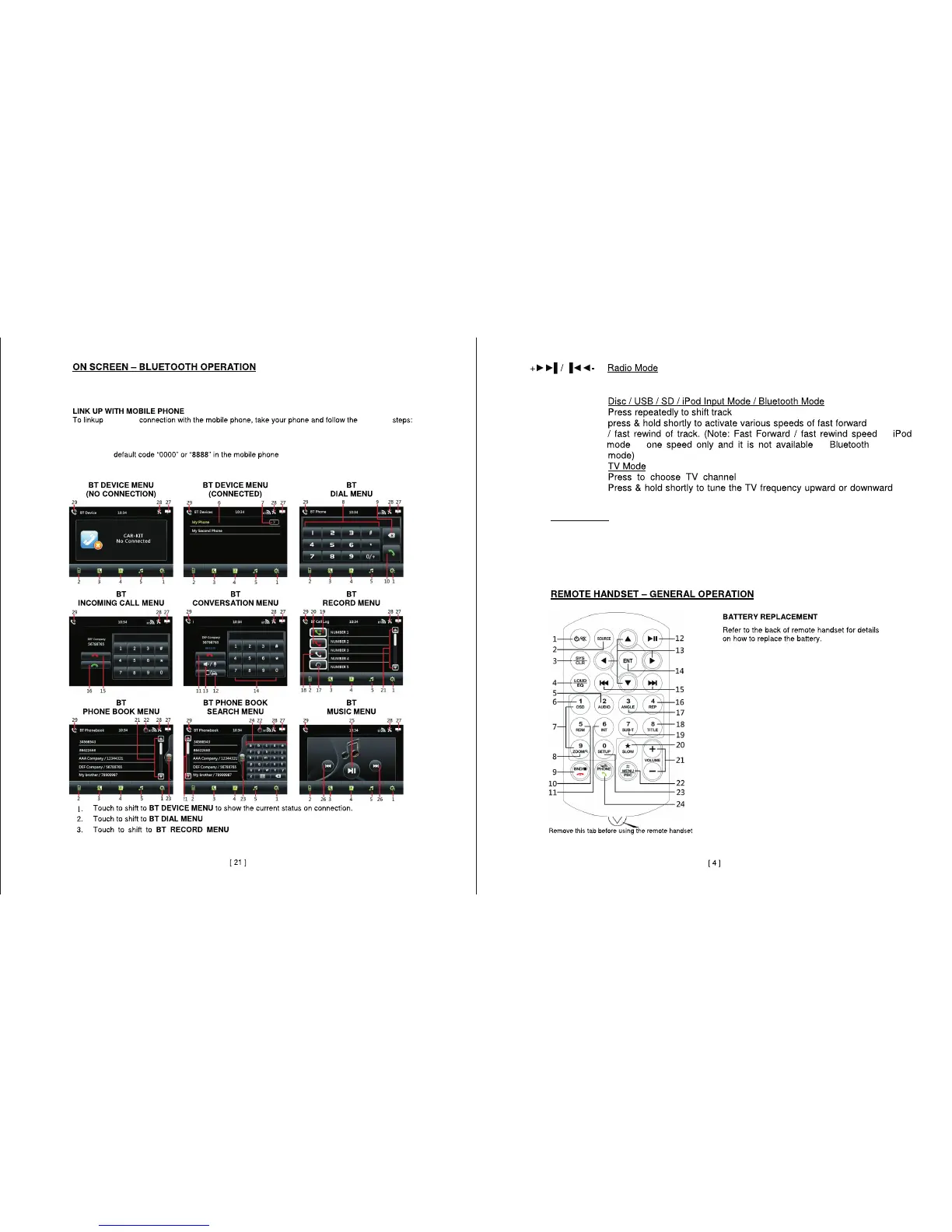
In the MAIN MENU and other screens,touch“BT” icon to switch to BLUETOOTH
mode.
- Turn on bluetooth mode on your mobile device.
- New Device will appear “CAR KIT”,“CAR BT”or similar.
- Enter the
- The device will appear in the “BT DEVICES MENU”on screen.
- Connection successful you can now start using the BLUETOOTH function.
to dial from phone.
to show the call log.
Press repeatedly to fine tune the radio frequency,Press and hold shortly to scan
for stations.
forward or backward.
in
in
is
.
.
Please Note:
The above mentioned operations are for various models of this unit,some features may not
be available on your unit ,lconography may vary from your exact unit.
following
- Search for new device.


 To Next Page