6
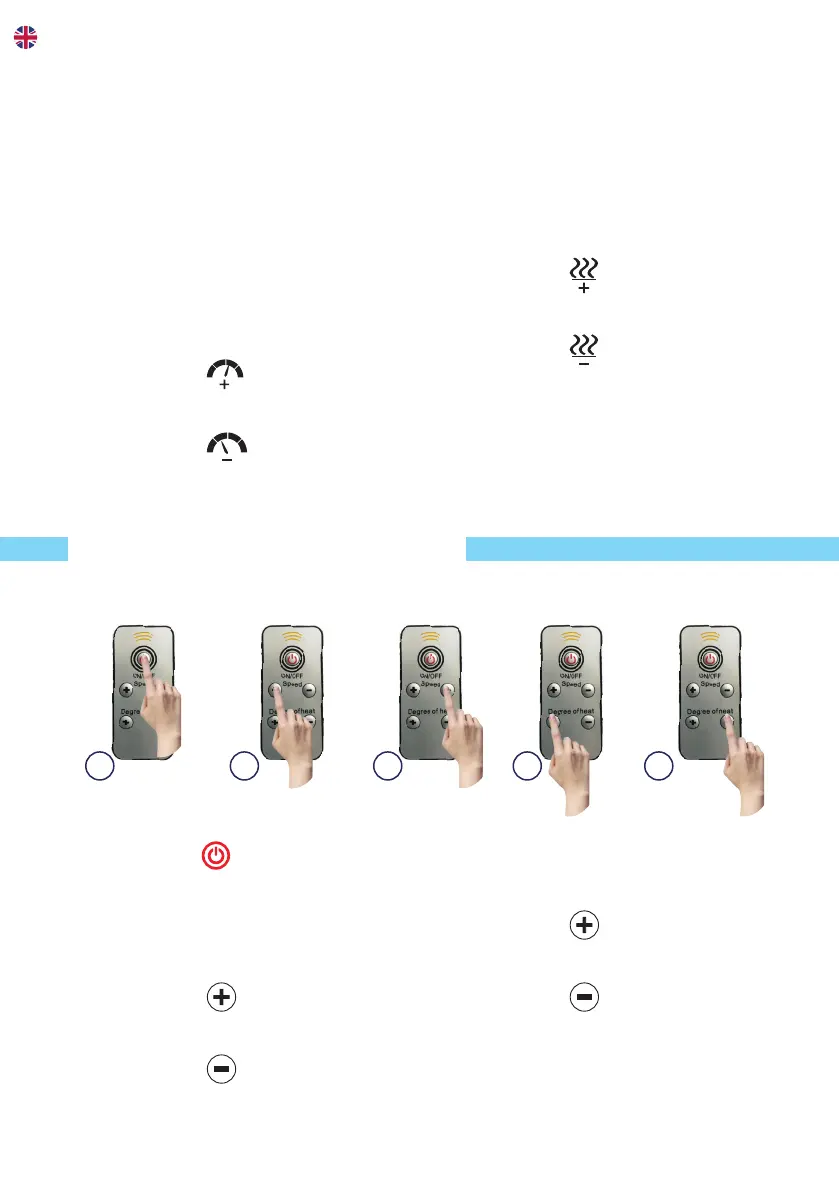
USE OF REMOTE CONTROL
A. Press the
button to turn on,
press it again to turn o.
Adjust the speed
(level 1 - level 10)
B. Press the
button to speed
up.
C. Press the
button to slow
down.
Adjust the temperature
(30
o
C, 35
o
C, 40
o
C, 45
o
C, 50
o
C)
D. Press the
button to set the
temperature higher.
E. Press the
button to set the
temperature lower.
A B C D E
Adjust the speed
(level 1 - level 10)
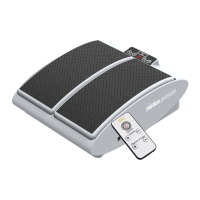
At low speed the MotionCiser will
simulate the motions of around 400
steps, at mid speed around 600
steps and at full speed around 1,000
steps. The higher the speed settings,
the rapid passive motions will also
provide vibrational massage eects.
B. Press the
button to speed
up.
C. Press the
button to slow
down.
Adjust the temperature
(30
o
C, 35
o
C, 40
o
C, 45
o
C, 50
o
C)
The unique and soothing heat
function stimulates circulation even
more and also keep your feet warm
and comfortable.
D. Press the
button to set the
temperature higher.
E. Press the
button to set the
temperature lower.


 To Next Page