7
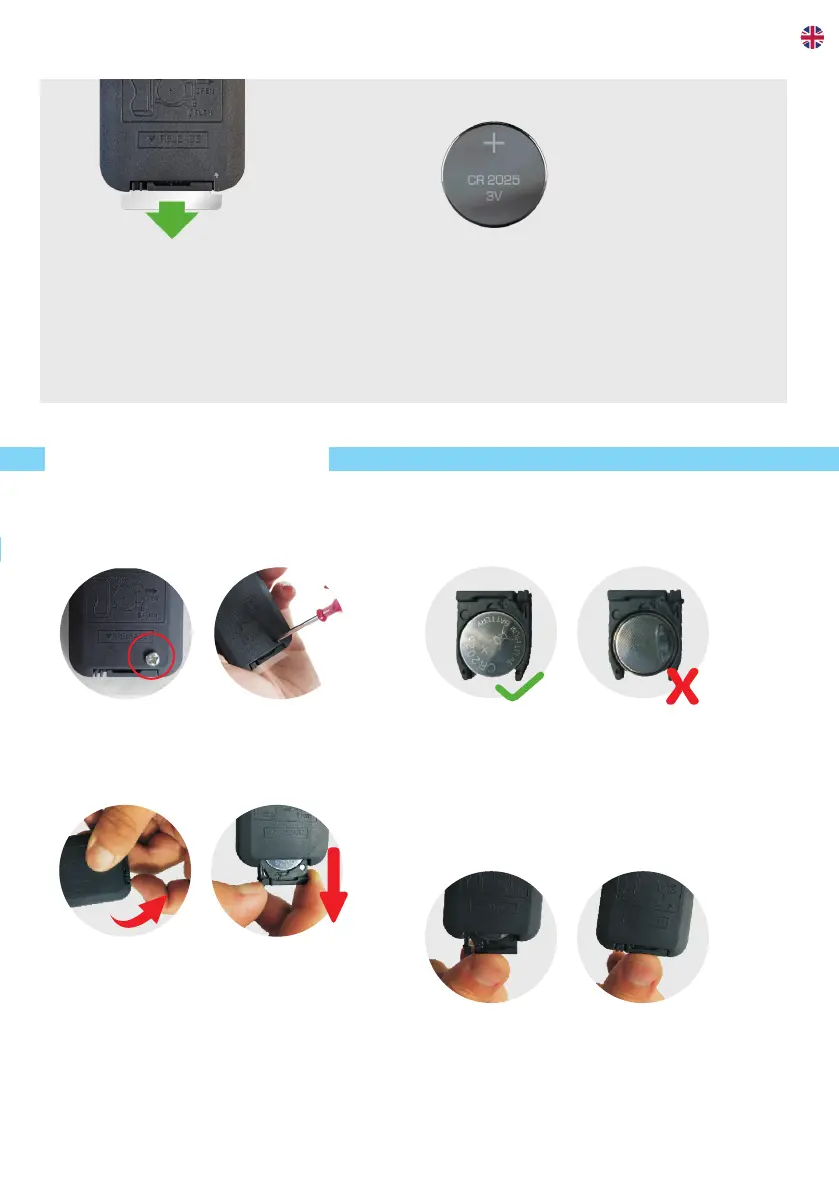
BATTERY CHANGE
1. Pull out the battery
First, remove the screw.
Press the lip at the bottom of
the remote control, and pull out the
battery tray at the same time.
2. Change the battery
Place the new battery with the
correct side up front.
3. Place the battery back
Push the battery tray back into the
remote control and the screw back in
place.
Note before the first use:
Remove the plastic protection film
from the remote control to activate
the battery.
Note:
The remote control works on one
CR2025 battery.


 To Next Page