Need help?
Do you have a question about the DR.ÖTEK MT6 Pro and is the answer not in the manual?
Lists all items included in the metal detector pinpointer package.
Details operational parameters such as frequency, temperature, detection modes, and waterproof grade.
Covers the device's operation modes, detection depth, screen indicators, auto-shutdown, weight, and dimensions.
Explains the functions of the POWER & MODE button and how to cycle through audio, vibration, and combined modes.
Describes how to use the Interference Cancelling Button to correct false signals caused by electromagnetic interference.
Details the LED indicator's function for device status and its use as a flashlight.
Explains how the LCD screen displays signal strength relative to target proximity.
Covers the device's submersible capabilities and precautions for underwater use.
Highlights the sensitive part of the search probe for effective metal detection.
Instructions for battery requirements, replacement indicators, and storage.
Provides essential steps and recommendations for mastering the pinpointer's usage, including test setups.
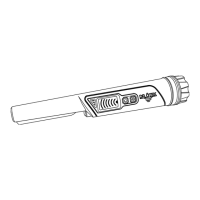
The DR.ÖTEK MT6 Pro is a metal detector pinpointer designed for efficient and precise metal detection. Its primary function is to help users locate metal objects with accuracy, making it suitable for various treasure hunting and detection activities.
The MT6 Pro operates as a non-motion ALL METAL detector, meaning it responds to all types of metal without requiring movement or swinging to locate a target. This feature simplifies the detection process, allowing users to pinpoint objects by simply bringing the device close to the target. The device is equipped with a built-in antenna for transmitting and receiving signals, with the head's 0.78 - 1.18 inches (2-3cm) section offering higher sensitivity for enhanced detection.
The pinpointer offers three distinct operation modes to cater to different user preferences and environmental conditions:
The MT6 Pro features an LCD screen that displays the signal strength of the detected target. The closer the target is to the pinpointer, the stronger the signal indicated on the screen, allowing for visual confirmation of proximity.
For user convenience and battery conservation, the device includes an auto-shutdown feature. After five minutes of standby, the MT6 Pro emits an alert tone and then automatically shuts down.
Operating the MT6 Pro is straightforward, primarily utilizing two buttons: a POWER & MODE button and an Interference Cancelling Button.
The Interference Cancelling Button is crucial for maintaining detection accuracy in challenging environments. If electromagnetic interference from sources like nearby power lines causes false signals, pressing this button will return the pinpointer to its normal detection state. A white triangle on the device will turn green to confirm the cancellation.
The MT6 Pro is equipped with an LED light that illuminates when the device is turned on, indicating its operational status. This LED light also doubles as a flashlight, providing illumination in dark conditions or underwater, which is particularly useful for locating objects in low-visibility environments. To turn the LED light on or off, users simply press the power button twice quickly.
A significant feature of the MT6 Pro is its IP68 waterproof rating, making it fully waterproof and submersible. This allows users to operate the device underwater up to 10 feet (3m), making it ideal for detecting in creeks, rivers, lakes, and even during diving activities. To ensure proper waterproof functionality, it is essential to fasten the battery cover tightly before any underwater use to prevent water leakage.
The MT6 Pro requires a 9V alkaline battery for operation. The device provides a clear indication when the battery needs replacement: the white LED will flash continuously. To preserve battery life and ensure the device's longevity, it is recommended to remove the battery when the pinpointer is not in use for extended periods.
To help users master the MT6 Pro, a quick start guide is provided, encouraging practice both indoors and outdoors. This guide outlines a simple testing procedure:
These features collectively ensure that the DR.ÖTEK MT6 Pro is a versatile, user-friendly, and robust tool for metal detection, offering reliable performance in various environments and conditions.
 General
| Detection Depth | Up to 10 inches |
|---|---|
| Display Type | LCD |
| Technology | VLF (Very Low Frequency) |
| Ground Balance | Automatic |
| Discrimination | Yes |
| Pinpoint Mode | Yes |
| Waterproof | Search coil only |
| Sensitivity | Adjustable |
| Headphone Jack | Yes |
| Search Modes | 3 |
| Search Coil | 10 inches |

 To Next Page