Need help?
Do you have a question about the Dräger Interlock 7500 and is the answer not in the manual?
Explains the different warning signs and their classifications used in the document.
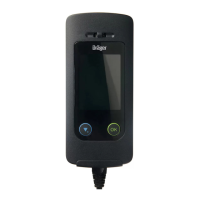
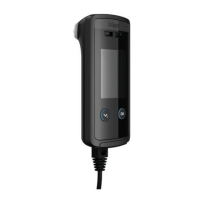
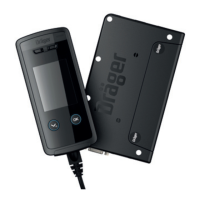
Illustrates and labels the components of the Dräger Interlock 7500 device.
Details the process and warnings associated with installing the device.
Outlines conditions and precautions for taking a breath sample measurement.
Instructions on how to detach the handset from the connecting cable.
Step-by-step guide on how to perform a breath alcohol measurement.
How to turn on and prepare the instrument for a test.
Instructions for giving a breath sample correctly.
Specific steps for performing a measurement when the camera option is installed.
Procedure for breath samples using anti-circumvention features.
What happens when a breath alcohol test is successful.
What happens when a breath alcohol test fails.
Handling the instrument when the vehicle is switched off.
Information and precautions regarding retesting.
Option to request a new breath alcohol test.
Displays service date, reason for next service, and service centre phone number.
Provides information about the instrument's settings and status.
Displays set timeframes for performing breath alcohol tests.
Shows information for client identification.
Displays part number, serial number, and software version of the handset.
Displays part number, serial number, and software version of the control unit.
Displays part number, serial number, and software version of the optional camera.
Displays part number, serial number, and software version of the optional GPRS or LTE module.
Sets and displays wake-up time, can shorten start-up time at low temperatures.
Displays the current date and time.
Procedure to start the vehicle using an unlock code after a lockout.
Procedure to start the vehicle without a breath sample using an access code.
Settings for display brightness, language, and communication.
Sets the brightness level of the display.
Changes the instrument's language.
Switches communication between Bluetooth and infra-red.
Error when breath sample is blown too early during warm-up phase.
Remedy for breath sample blown too soft.
Remedy for breath sample blown too hard.
Remedy for breath sample blown too short.
Remedy for incorrect breath sample delivery (blow/suck).
Remedy for breath sample sucked too short.
Instruction for checking mouthpiece insertion.
Action for faults detected during breath sample delivery.
Procedure when breath alcohol concentration is above the limit.
Remedy for low handset temperature.
Remedy for high handset temperature.
Action when service interval is approaching.
Action when the service interval has expired.
Action for too many detected violations.
Troubleshooting for handset faults.
Troubleshooting for errors in the control unit.
Troubleshooting for connection issues between handset and control unit.
Action for mismatched software versions between control unit and handset.
Troubleshooting when handset display is not working but indicators are.
Troubleshooting for missing display messages on the handset.
Details calibration checks and service interval reminders.
Instructions for cleaning the device.
 General
| Brand | Dräger |
|---|---|
| Model | Interlock 7500 |
| Category | Automobile Accessories |
| Language | English |

 To Next Page