12
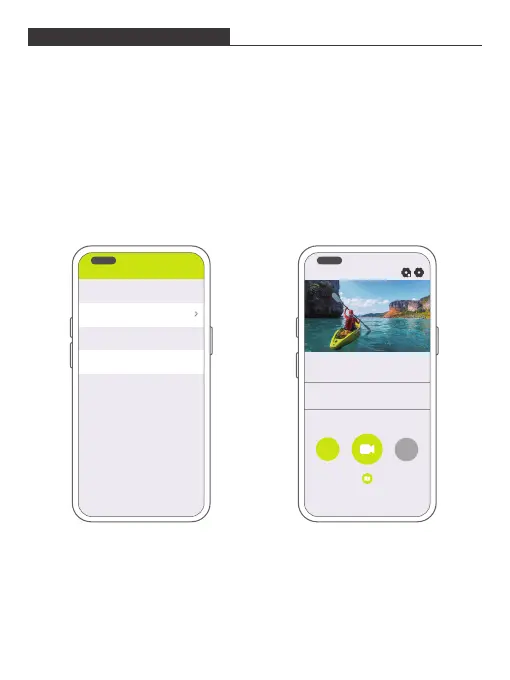
Download and install the DV KING 4K app on the App Store or Google Play.
The DV KING 4K app lets you control your camera remotely using a smartphone or
tablet. Features include camera control, live preview, playback, download and
settings.
1. Turn on the camera, press and hold the Up button to turn on Wifi. The Wifi name
and password are shown on the camera screen.
2. Connect the Wifi "Vision 4 Lite" and enter the password on your smartphone
WLAN setting.
3. Open the DV KING 4K app, choose the Wifi of the camera and tap the arrow icon
on the right, wait for seconds, the camera will automatically connect to the app.
CONNCTING TO THE APP
WIFI
Exit
Connected
Saved
connected
Vision 4 Lite_148d
Vision 4 Lite_148d
4K30FPS
Video
DV King 4k
Slowly
4K30FPS
Loop Lapse


 To Next Page