17
CR2032 BATTERY REPLACEMENT FOR REMOTE
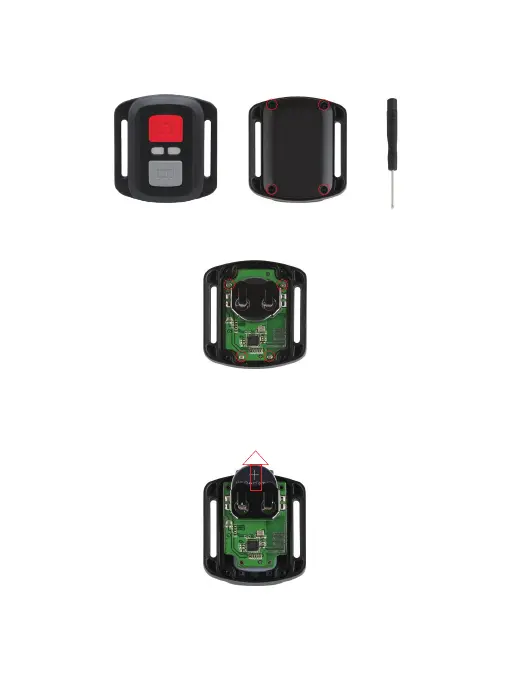
1. Use a 1.8mm Phillips tip screwdriver to remove the 4 screws on the back cover of
the remote, allowing you to open it.
2. Remove another 4 screws on the PCB board.
3. Lift the PCB board and slide out the battery, as shown in the picture.
Note: Do NOT rotate the PCB board to avoid reversing the camera and video button
functions.
4. Install the new battery, keeping the "+" pole facing up.


 To Next Page