Quick Reference Guide 19
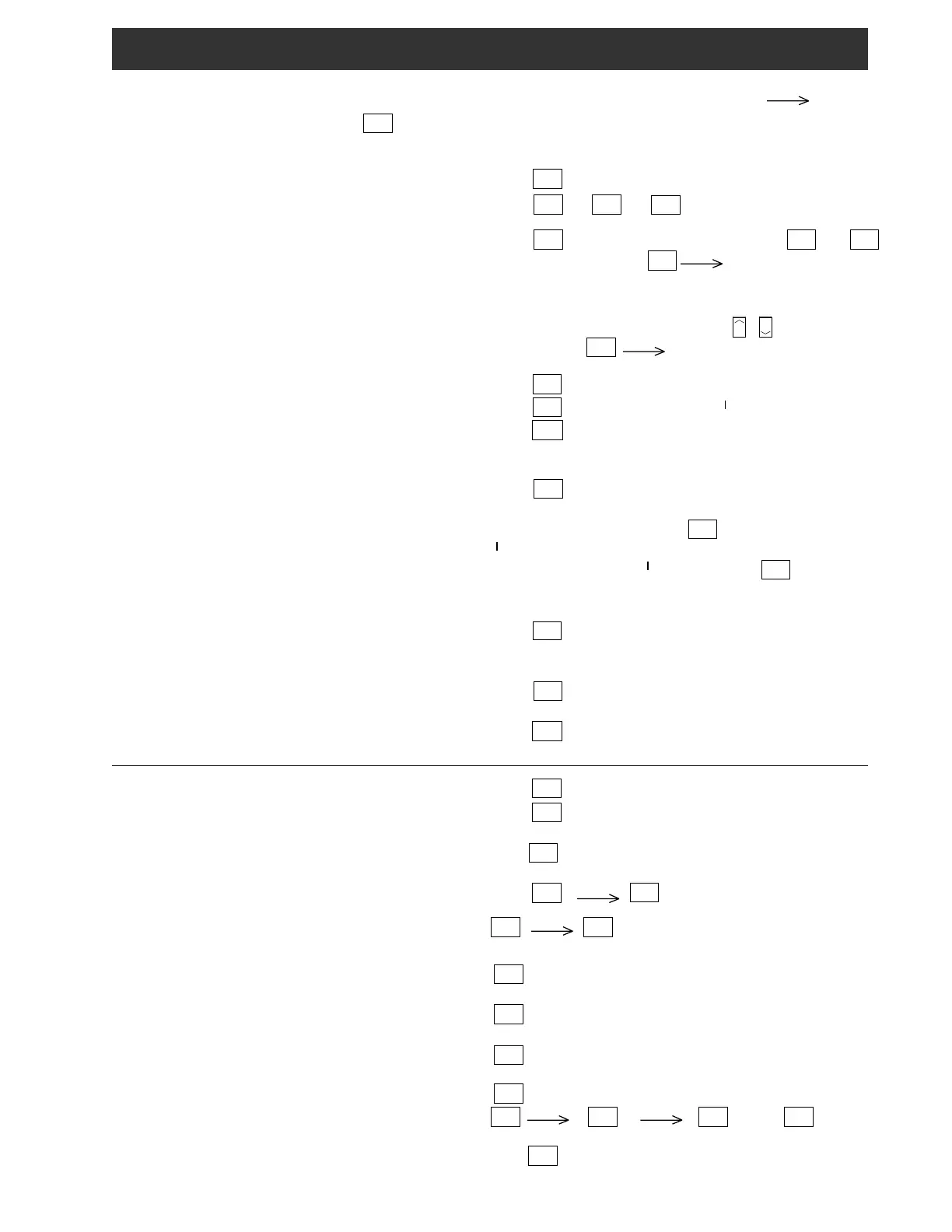
Most front panel pushbuttons perform two functions.
The second function requires that the
F
button be
pressed first, and then the desired second function button
pressed within three seconds. The
3
symbol
indicates that the button is to be pressed within three
seconds.
Press
STORE
VFO
Press
BCB
1
or
AIR
2
or
Press
BCB
1
(toggles between AM and FM) or
AIR
2
or
SW
3
.
With unit in 'SW', press
SW
3
3
two or three digit entry
from numeric keypad for Shortwave Meter band designation.
Select Band. Turn tuning wheel, Press /
keys, or Press
F
3
numeric keypad.
Press
AM
SYNC
4
for displayed 'AM'.
Press
AM
SYNC
4
to toggle to 'AM SYNC LSB'.
Press
SSB
5
to toggle between 'USB' and 'LSB'.
Turn synchronous detector off before selecting LSB or USB
modes.
Press
BCB
1
to toggle between the FM and AM broadcast bands.
With unit in 'AM' mode, press
AM
SYNC
4
for displayed 'AM SYNC
LSB'.
With unit in 'AM SYNC LSB' mode, press
AM
SYNC
4
to turn syn-
chronous detector off.
Press
BW
6
for displayed '6.0', '4.0' or '2.3' (not active in FM
mode).
Press
AGC
8
for displayed 'S' or 'F' (not active in FM mode).
Press
ATT
7
for displayed ATT or blank (not active in 'FM' or
'AIR' modes).
Press
TIMER
CLOCK
to display either Local ('L') or alternate time.
Press
TIMER
CLOCK
and hold until colon flashes. Use keypad to enter
time in 'HH:MM' format.
Press
F
to start clock.
Press
TIMER
CLOCK
(
3
to display alternate time).
F
3
TIMER
CLOCK
(hold) until TIMER ON shows. Use
keypad to enter On time for TIMER '1'. Press
TIMER
CLOCK
again.
Use keypad to enter Off time for TIMER '1'. Press
TIMER
CLOCK
again.
Use keypad to enter On time for TIMER '2'. Press
TIMER
CLOCK
again.
Use keypad to enter Off time for TIMER '2'. Press
TIMER
CLOCK
again to leave the set mode.
F
3
TIMER
CLOCK
BCB
1
and/or
AIR
2
Press
F
and hold until LOCK is displayed. Pushbuttons and
tuning wheel are inactive.
Select normal frequency display (VFO) (pages 6,7) - -
Select Band (page 6, 8) - - - - - - - - - - - - - - - - - - - - -
Adjust Frequency (page 6) - - - - - - - - - - - - - - - - - - -
Select Mode (page 6) - - - - - - - - - - - - - - - - - - - - - - -
Select SYNChro (page 6) - - - - - - - - - - - - - - - - - - - -
Select Bandwidth (page 6) - - - - - - - - - - - - - - - - - - -
Select AGC (page 7) - - - - - - - - - - - - - - - - - - - - - - -
Attenuator On or Off (page 7) - - - - - - - - - - - - - - - - -
Set Time (page 15) - - - - - - - - - - - - - - - - - - - - - - - -
Display Time (page 15) - - - - - - - - - - - - - - - - - - - - -
Set Timer On/Off times (page 15-17) - - - - - - - - - - - -
Activate (Enabling) Timer (page 16) - - - - - - - - - - - - -
Lock (Unlock) Controls (page 12) - - - - - - - - - - - - - -


 To Next Page
 Loading...