59
Gentier Real-Time PCR System
▶ Parameter introduction: same with the parameters introduced in D-3.3.2 Sample Setting
- Sample Setting area.
▶ Function key introduction: user can select one or more sample wells in the sample setting
function module to display the corresponding fluorescence curve and relevant data in the
Real-time Fluorescence and Sample Info function modules.
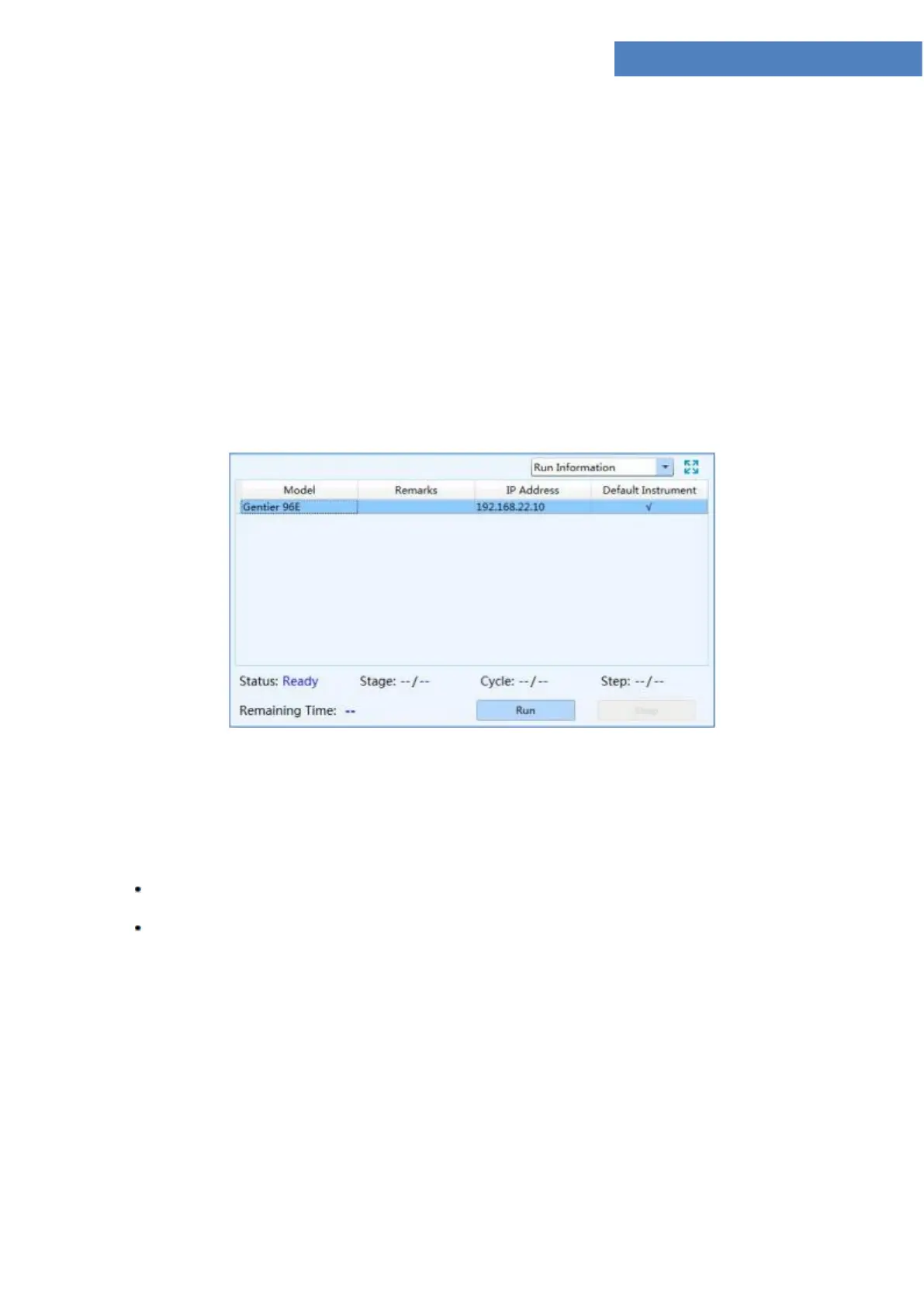
4. Run Info: display the current instrument information and the real-time running status, such
as the Stage, Step, Cycle and Remaining Time of of the current experiment, as shown in
figure D-7.4.
Figure D-7.4 Run Monitoring interface - Run Info function module
▶ Function key introduction:
User can click < Run > key to run the current experiment;
User can click < Stop > key to stop the current experiment;
5. Sample Info: display the detailed sample information of the current running experiment, as
shown in figure D-7.5.



 To Next Page