DS501 OPERATORS’ MANUAL 3
POWER CONNECTION
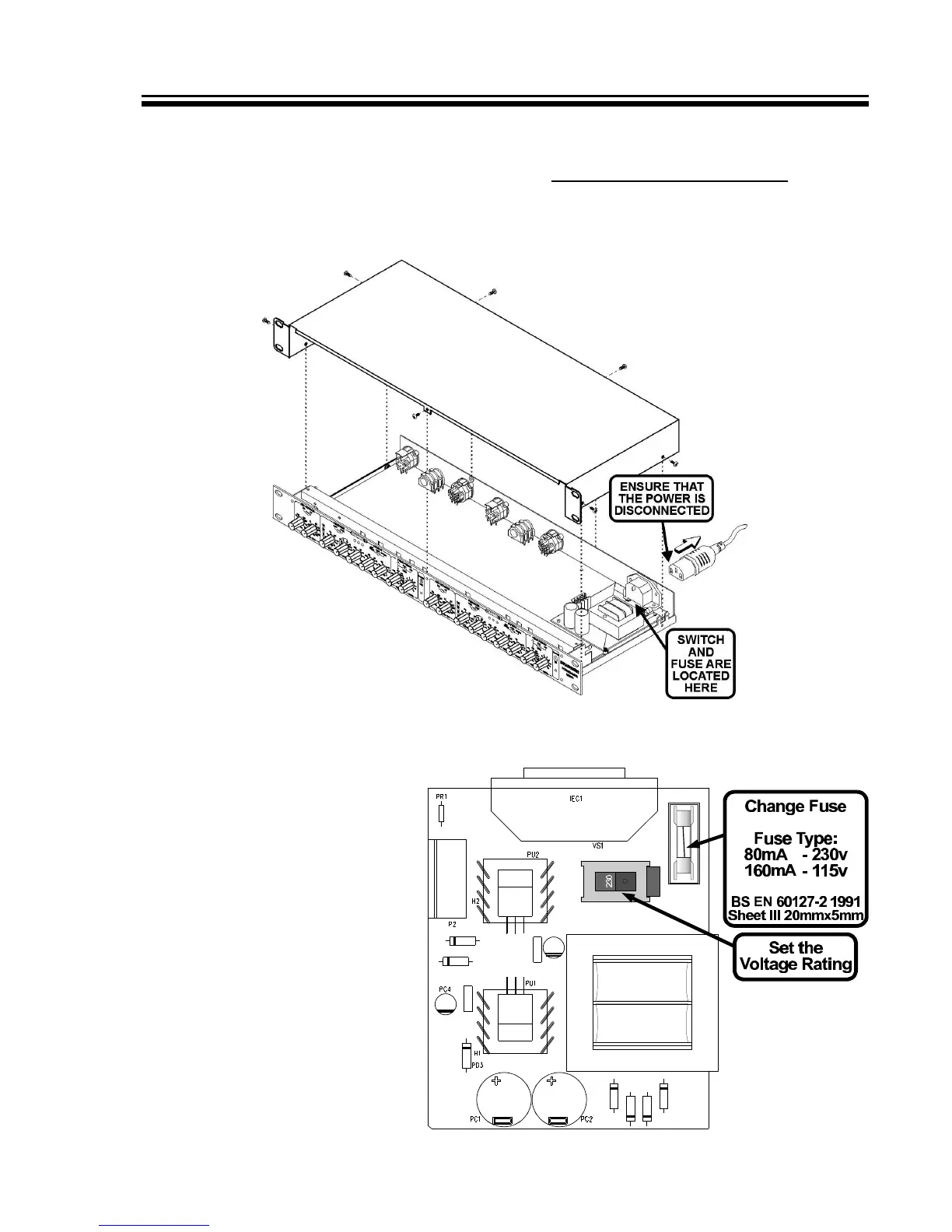
If the unit is to be operated at a mains input voltage which is different to that as
supplied, the following must be carried out by a qualified technical engineer.
1: Disconnect the unit from the mains.
2: Using a number 1 size pozidrive screwdriver, remove the seven
self-tapping screws that retain the top cover.
Accessing the internal power switch and fuse
3. Set the voltage rating and
replace the fuse.
4. Replace the cover.


 To Next Page