NORMAL TYPE _
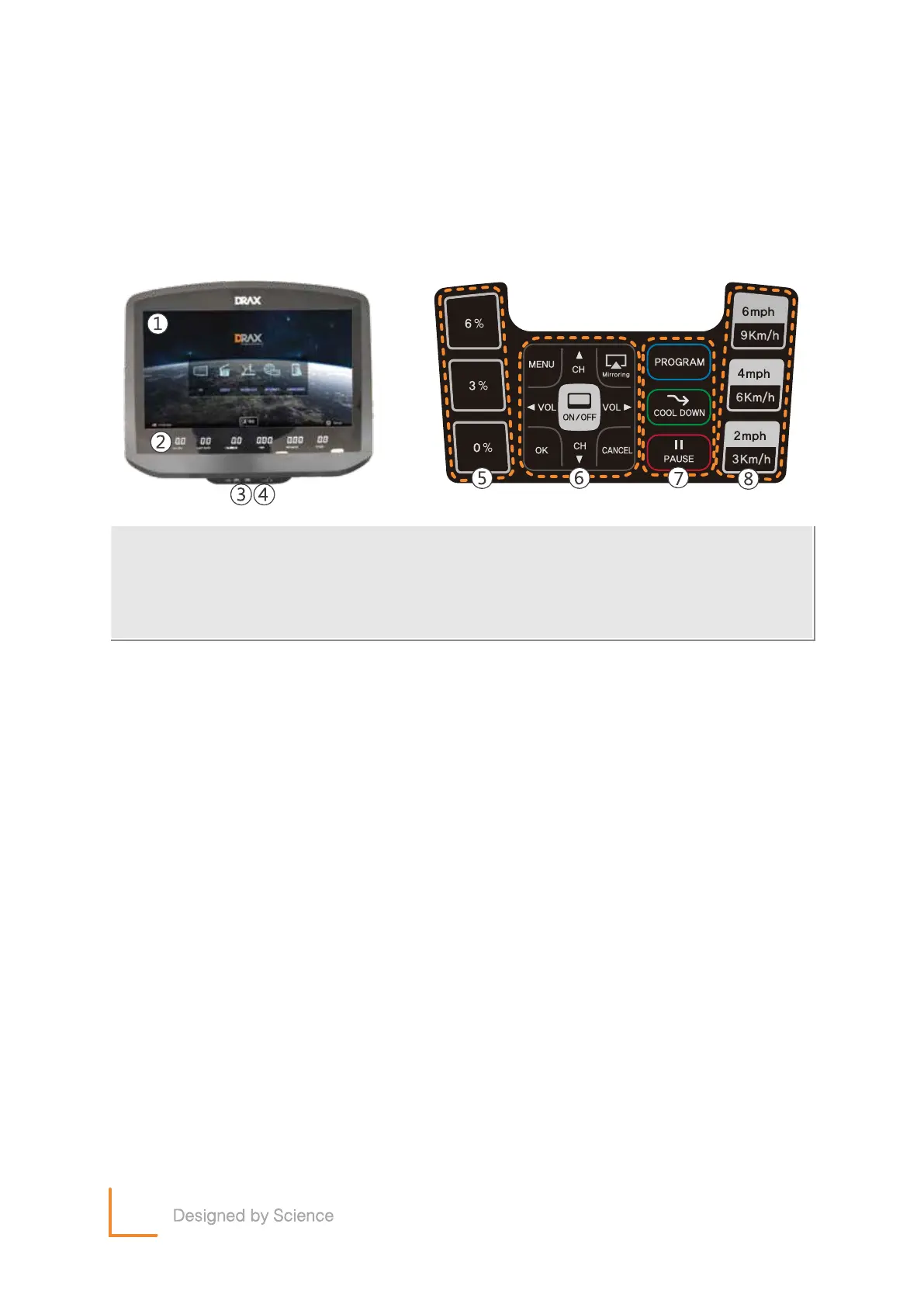
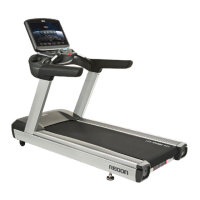
① Main Screen
Main Screen : Displays TV / Internet / Screen-mirroring / Workout Programs etc.
② Exercise Display
Displays critical workout metrics like, Time / Distance / Level / Calories / Heart rate etc.
③ USB
Multi media port : Plug a USB flash drive in and enjoy watching your very own movies, music videos,
or photos on the machines large display screen. Supports USB 2.0
④ Earphone Jack
Plug your headphones or earphones in to listen to what ever you are watching on the screen.
⑤ Quick Incline Buttons(0%, 3%, 6%)
Three pre-set incline buttons used to quickly select or toggle between inclines with one touch of
a button.
⑥ Keypad
- ON/OFF : Switch the main screen on and off.
- MENU : Used to enter menu options.
- Mirroring : Mirror your Android or IOS device screen directly to the machines main screen.
- OK : Used to confirm functions.
- CANCEL : Used to exit menus.
- Navigation Arrows : CH▲, CH▼, VOL◀, VOL▶
These buttons are used to change TV channels, adjust TV.
⑦ Program Button
Program : Select a preset exercise programs.
Cool Down : Instantly starts the cool down program regardless of where you are at in your workout.
Pause : Pauses the workout.
⑧ Quick Speed Button (3Km/h, 6Km/h, 9Km/h)
Three pre-set speed buttons used to quickly select or toggle between speeds with one touch of a button.
Note, this feature doesn’t work with Speed Sync.
11
① Main Screen
④ Earphone
⑦ Program Button
② Exercise Display
⑤ Quick Incline Button
⑧ Quick Speed Button
③ USB Port
⑥ Keypad


 To Next Page