NEW REDON
3 HOW TO USE
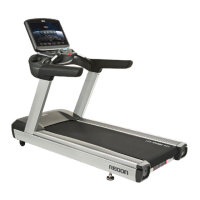
DETAIL OF DISPLAY CONSOLE _
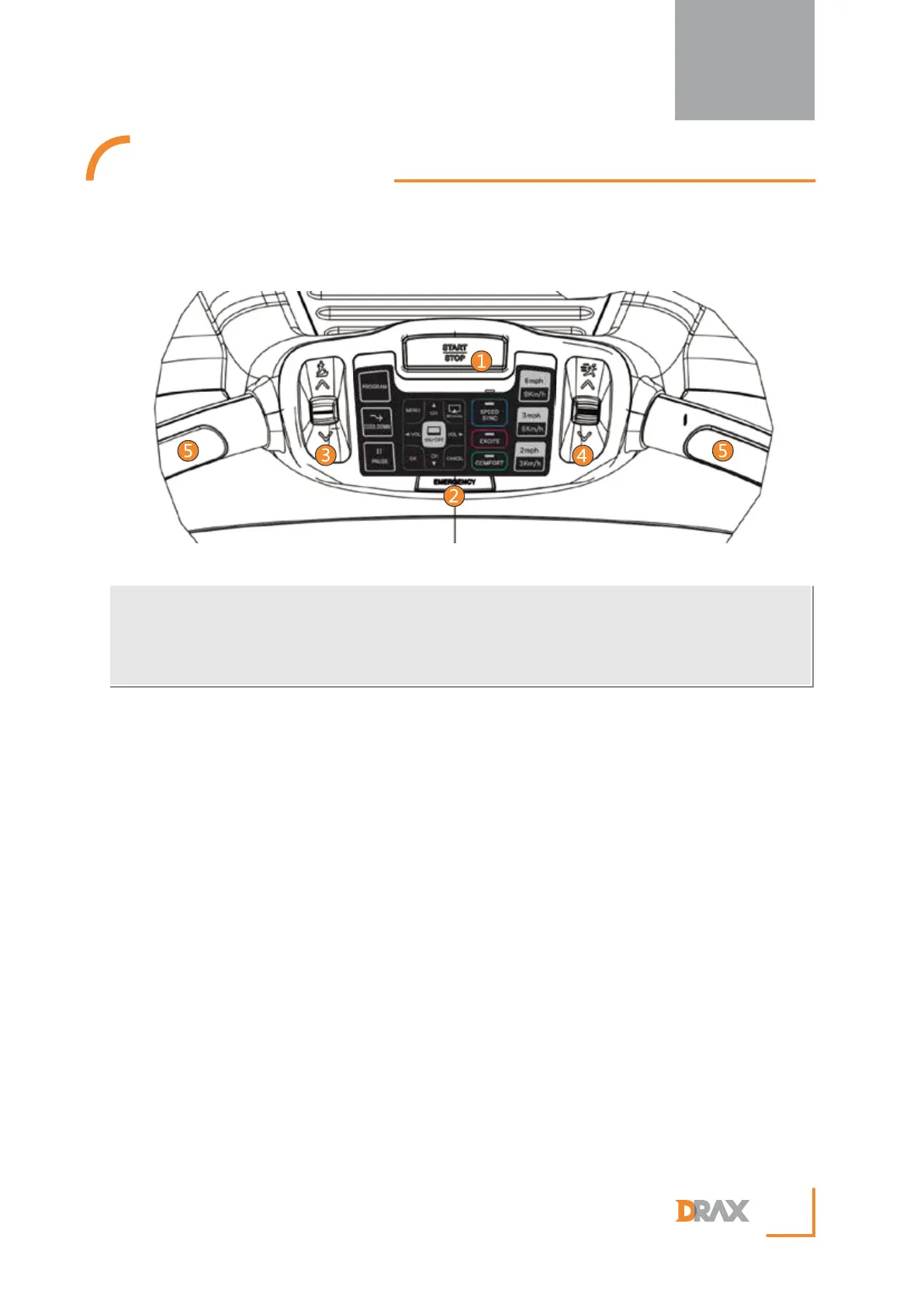
① START / STOP Button
Used to start and stop the exercise program.
② Emergency STOP Key
The emergency stop lanyard must be securely connected/clipped to the user prior to starting the
treadmill. In the case of a trip/fall or other emergency, the emergency magnet will be pulled from
the machine and all of the machines operations will be stopped. To continue the workout simply
replace the emergency stop magnet on to the machine and restart the workout.
③ Incline control lever
Used to incline or decline the treadmill gradient.
④ Speed control lever
Used to increase or decrease the speed of the running belt.
⑤ Touch type Heartrate Sensor
When the user holds both right hand and left hand heart rate sensors simultaneously the users heart
rate will be displayed on the treadmill screen. Note: the displayed heart rate is only a guide and not
to be relied on as a medical instrument.
8
① Start/Stop Button
④ Speed control lever
② Emergency STOP Key
⑤ Touch type Heartrate Sensor
③ Incline control lever


 To Next Page