BLUETOOTH SETUP _
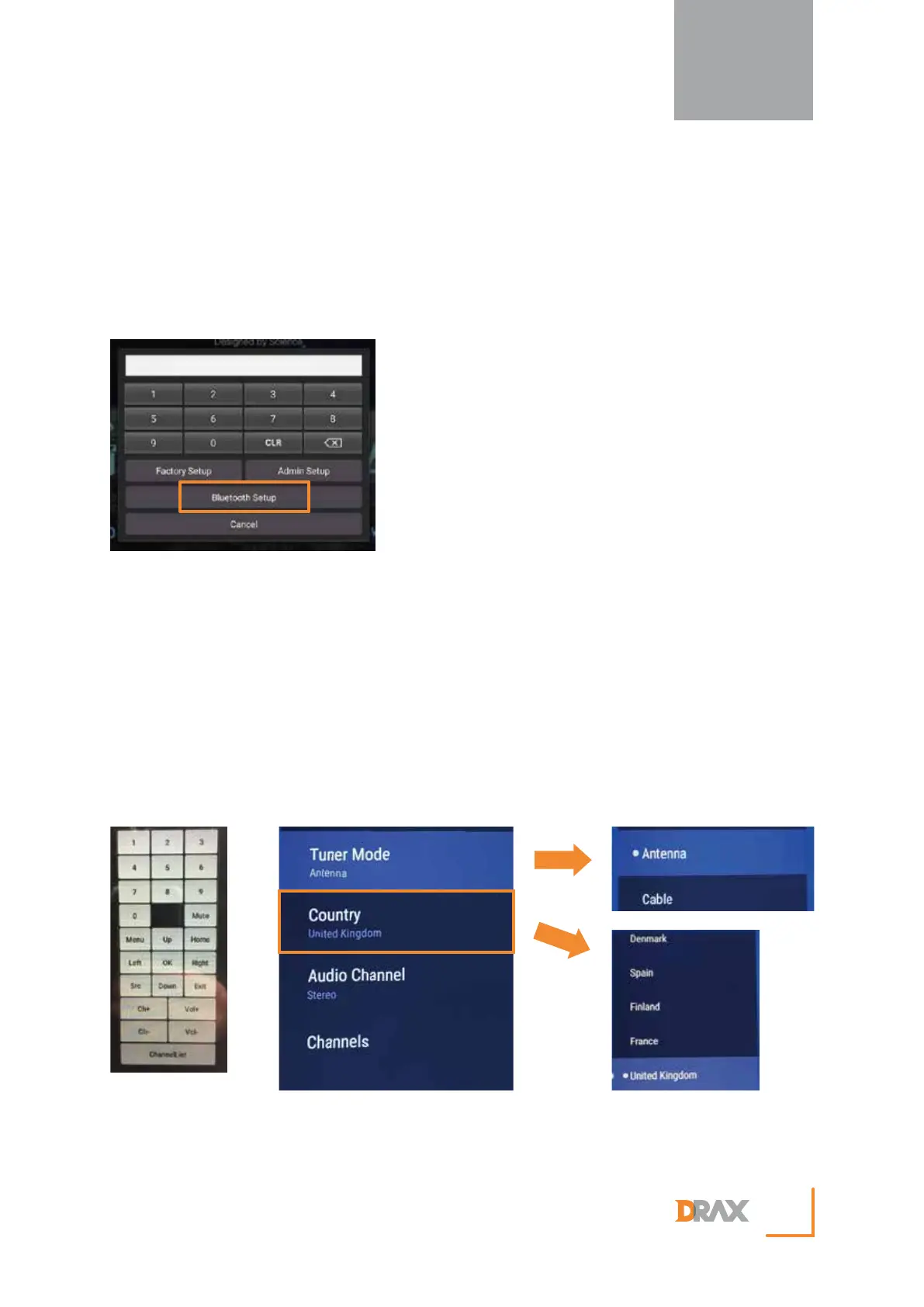
1. Press ‘Setup’ button located in the bottom right hand corner of the main screen.
2. Press ‘Bluetooth Setup’ and choose from the list of available devices.
TV SETUP
_
1. Press ‘Setup’ button located in the bottom right hand corner of the main screen.
2. Press ‘Admin Setup’ followed by ‘TV Setup’.
NOTE - Password : 1100
3. Press ‘Menu’ located within the pop-up key pad on the right hand side of the main screen.
4. Press ‘Up/Down’ buttons to highlight the desired menu then use the ‘OK’ button to select the desired
menu.
5. Select ‘Tuner Mode’ and then choose between ‘Antenna’ or ‘Cable’ based on which system is available
to you .
6. Select ‘Channel Scan’ and press ‘OK’.
7. Once the channel scan is finished press the ‘cancel’ button to exit.
NEW REDON
14


 To Next Page