12
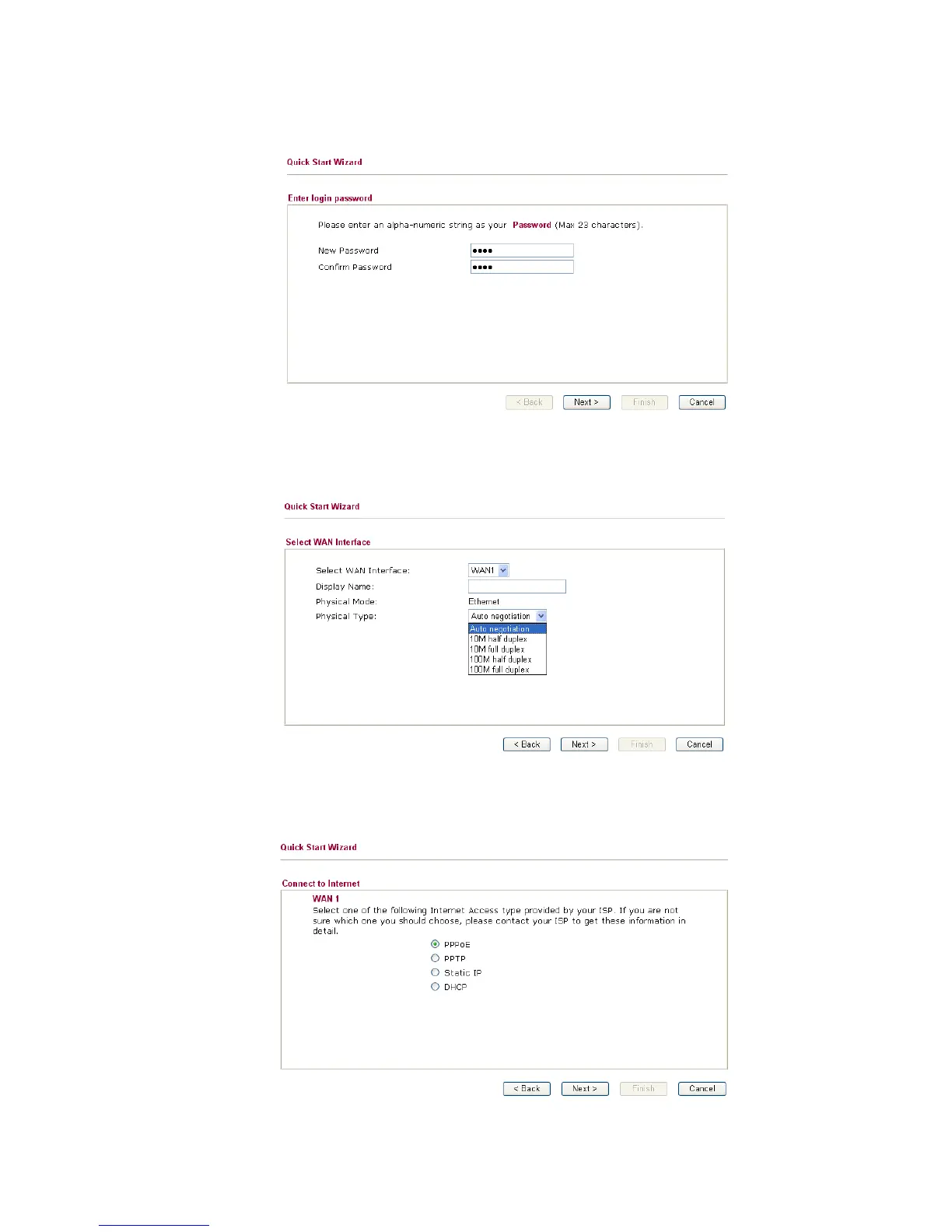
4. Enter the login password on the field of New Password and retype it on the field of
Retype New Password. Then click Next to continue.
5. On the next page as shown below, please select the WAN interface that you use.
Choose Auto negotiation as the physical type for your router. Then click Next for
next step.
6. On the next page as shown below, please select the appropriate Internet access type
according to the information from your ISP. For example, you should select PPPoE
mode if the ISP provides you PPPoE interface. Then click Next for next step.



 To Next Page