13
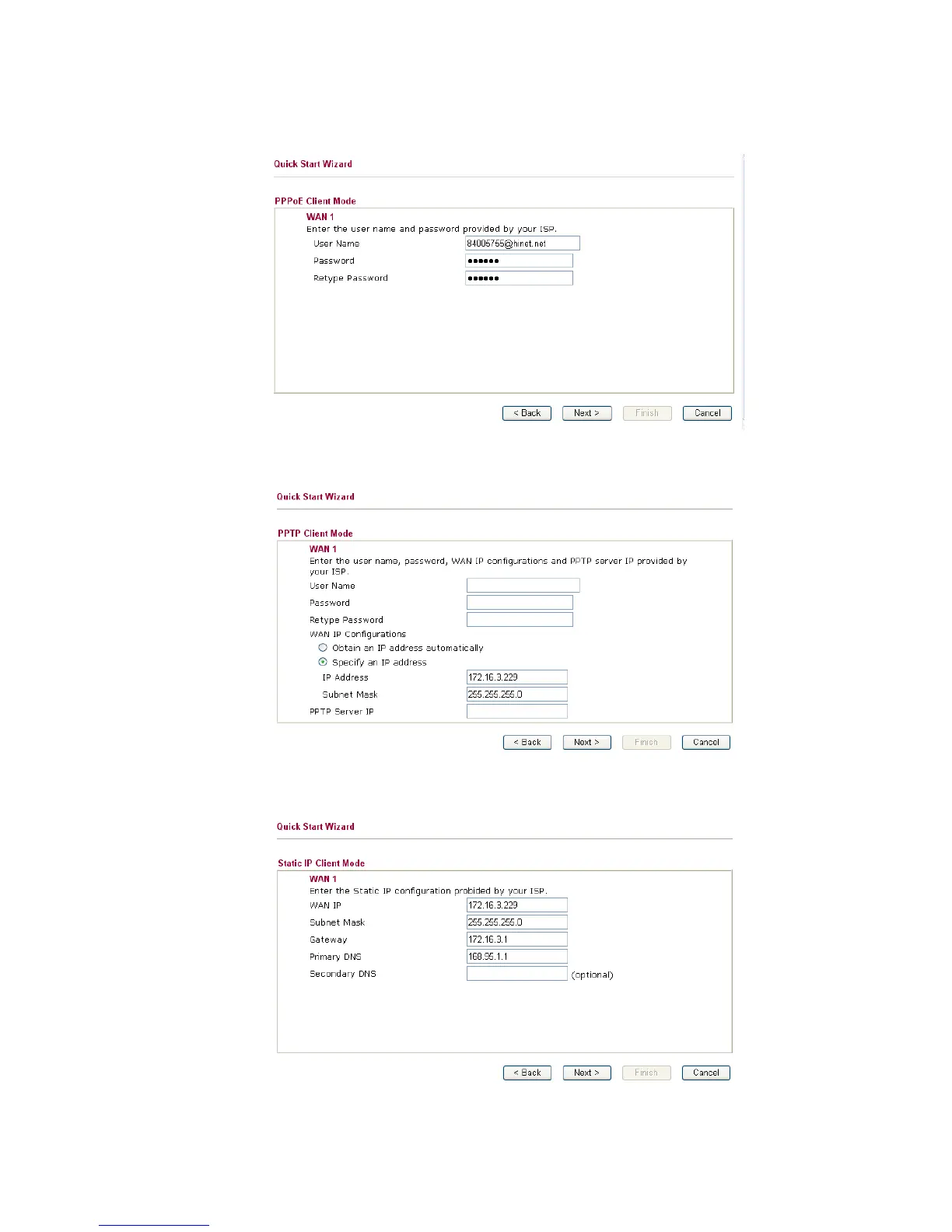
PPPoE: if you click PPPoE or PPPoA as the protocol, please manually enter the
Username/Password provided by your ISP. Then click Next.
PPTP: if you click PPTP, you will get the following page. Please type in all the
information originally provided by your ISP. Then click Next for next step.
Static IP: if you click Static IP, you will get the following page. Please type in the IP
address information originally provided by your ISP. Then click Next for next step.



 To Next Page