This section will guide you through the installation of the modem hardware.
Once it is connected, proceed to the next section for final setup.
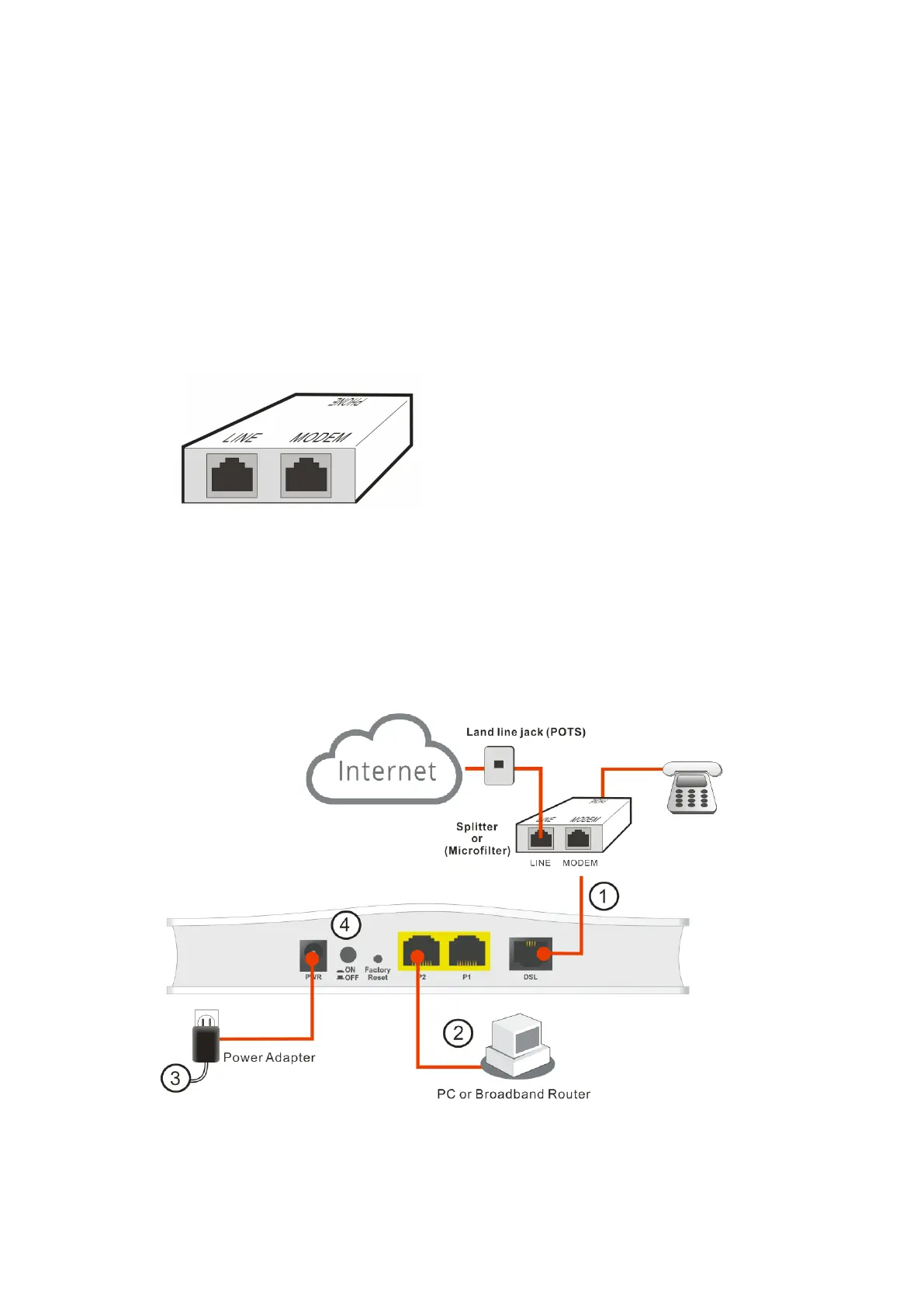
Before starting to configure the modem, you must connect your devices
correctly.
1. Connect the DSL interface to the MODEM port of your building’s splitter or
microfilter, with a DSL line cable.
(splitter)
2. Connect the LAN port to your computer with a RJ-45 cable.
3. Connect one end of the power adapter to the Power port of this device.
Connect the other end to the wall outlet of electricity.
4. Power on the modem.
5. Check the POWER, ACT, LAN, DSL and INTERNET LEDs to assure network
connections.
(For the detailed information of LED status, please refer to section 2.)



 To Next Page