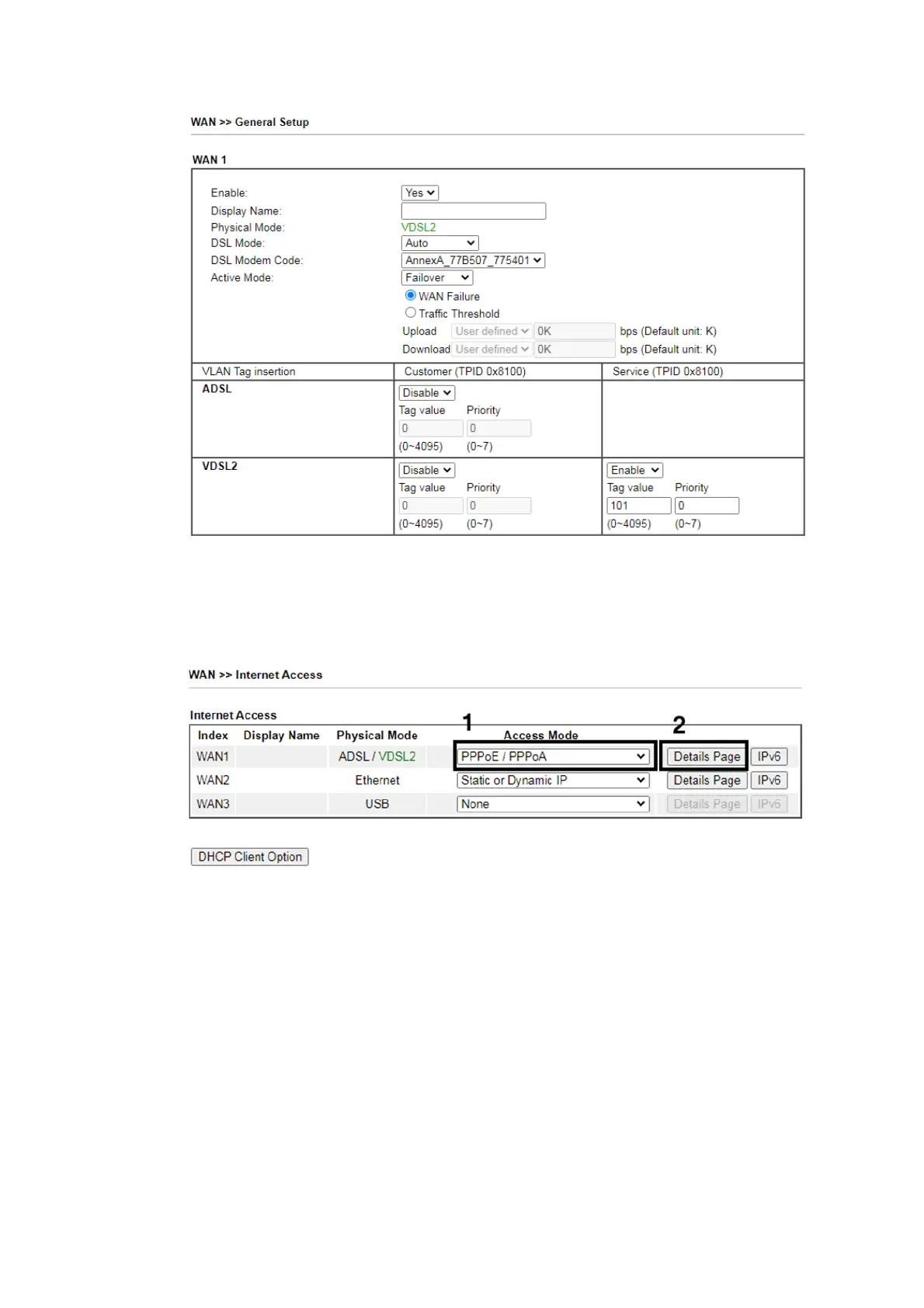
9
Click OK on that page to apply the changes.
3. Go to [WAN] > [Internet Access]
Set the WAN1 Access Mode to PPPoE / PPPoA, then click the Details Page
button to proceed:
4. On the PPPoE / PPPoA settings tab:
Select the Enable radio button at the top of the page to ensure that the
PPPoE interface is enabled.
In the ISP Access Setup section, input the ISP username into the Username
field and password in the Password field.
If your ISP has provided a static IP address, that can be specified by setting
the Fixed IP setting to Yes and entering the IP in the Fixed IP Address field.











 To Next Page