8
4
4
.
.
2
2
W
W
A
A
N
N
1
1
–
–
A
A
D
D
S
S
L
L
&
&
V
V
D
D
S
S
L
L
C
C
o
o
n
n
n
n
e
e
c
c
t
t
i
i
o
o
n
n
S
S
e
e
t
t
u
u
p
p
The WAN1 interface of the Vigor2763 router can connect to VDSL2 and ADSL2+
lines.
If your Internet connection uses VDSL2 and your ISP has supplied you with a
Username and Password to connect to the Internet, go to section
4.2.1 PPPoE connection with FTTC VDSL2
If your Internet connection uses VDSL2 and your ISP does not supply or require a
Username and Password to connect to the Internet, go to section
4.2.2 DHCP / Static IP connection with FTTC VDSL2
If your Internet connection uses ADSL or ADSL2+ and your ISP has supplied you
with a Username and Password to connect to the Internet, go to section
4.2.3 PPPoA connection with ADSL / ADSL2+
4
4
.
.
2
2
.
.
1
1
P
P
P
P
P
P
o
o
E
E
c
c
o
o
n
n
n
n
e
e
c
c
t
t
i
i
o
o
n
n
w
w
i
i
t
t
h
h
F
F
T
T
T
T
C
C
V
V
D
D
S
S
L
L
2
2
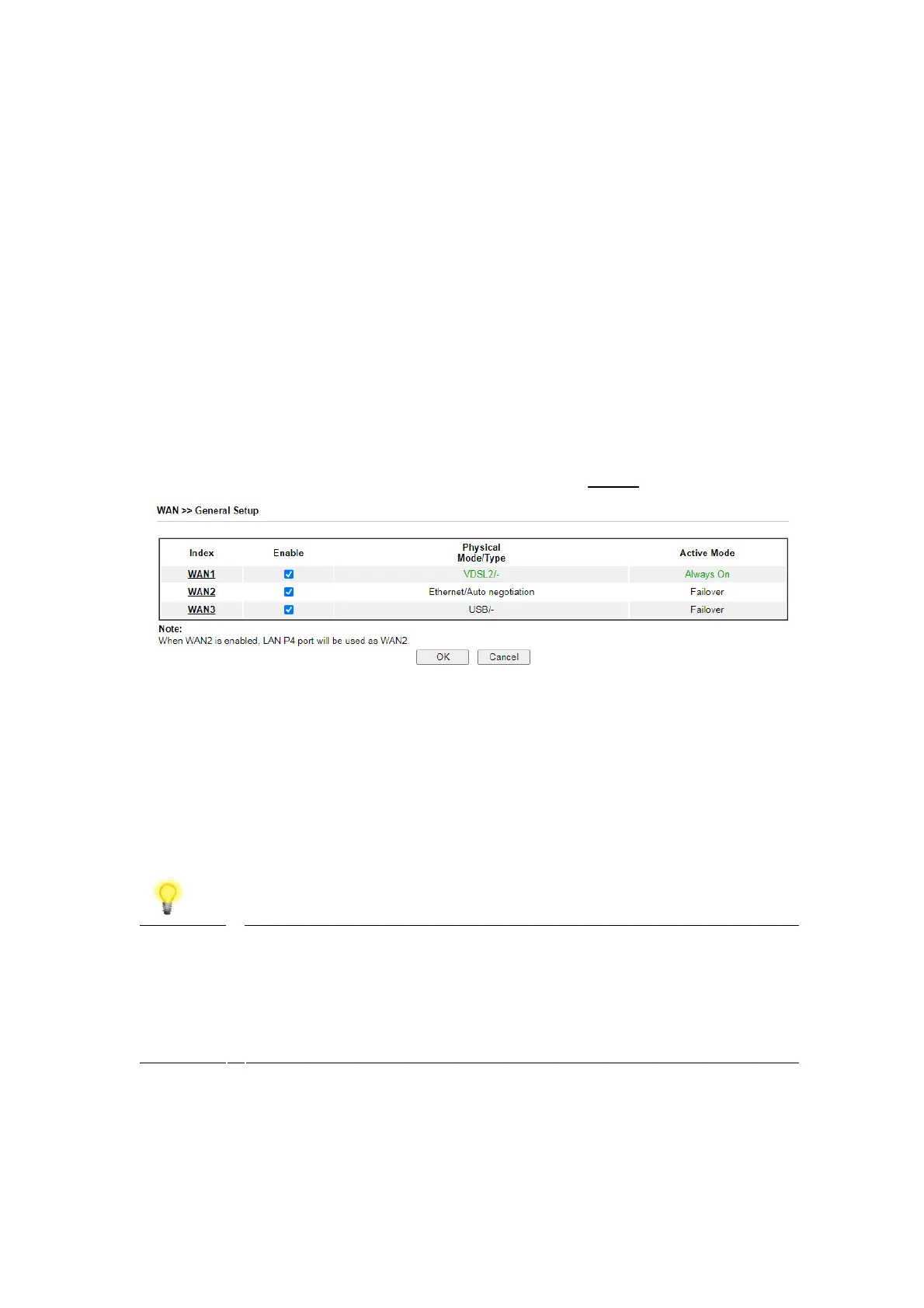
1. Go to [WAN] > [General Setup] and click on the WAN1 link:
2. On the settings page:
Set the Enable option to Yes to activate the WAN1 connection
Set the Active Mode to Always On
Enable the Service – VLAN Tag insertion
Set the Tag value setting to 101
Note The VLAN tag value of 101(UK only) is required to connect to ISPs
that operate on the Openreach VDSL2 network, if your ISP
operates on a different VDSL2 network, this tag value may
differ.
Please check with your ISP.











 To Next Page