2
2
2
.
.
P
P
a
a
n
n
e
e
l
l
E
E
x
x
p
p
l
l
a
a
n
n
a
a
t
t
i
i
o
o
n
n
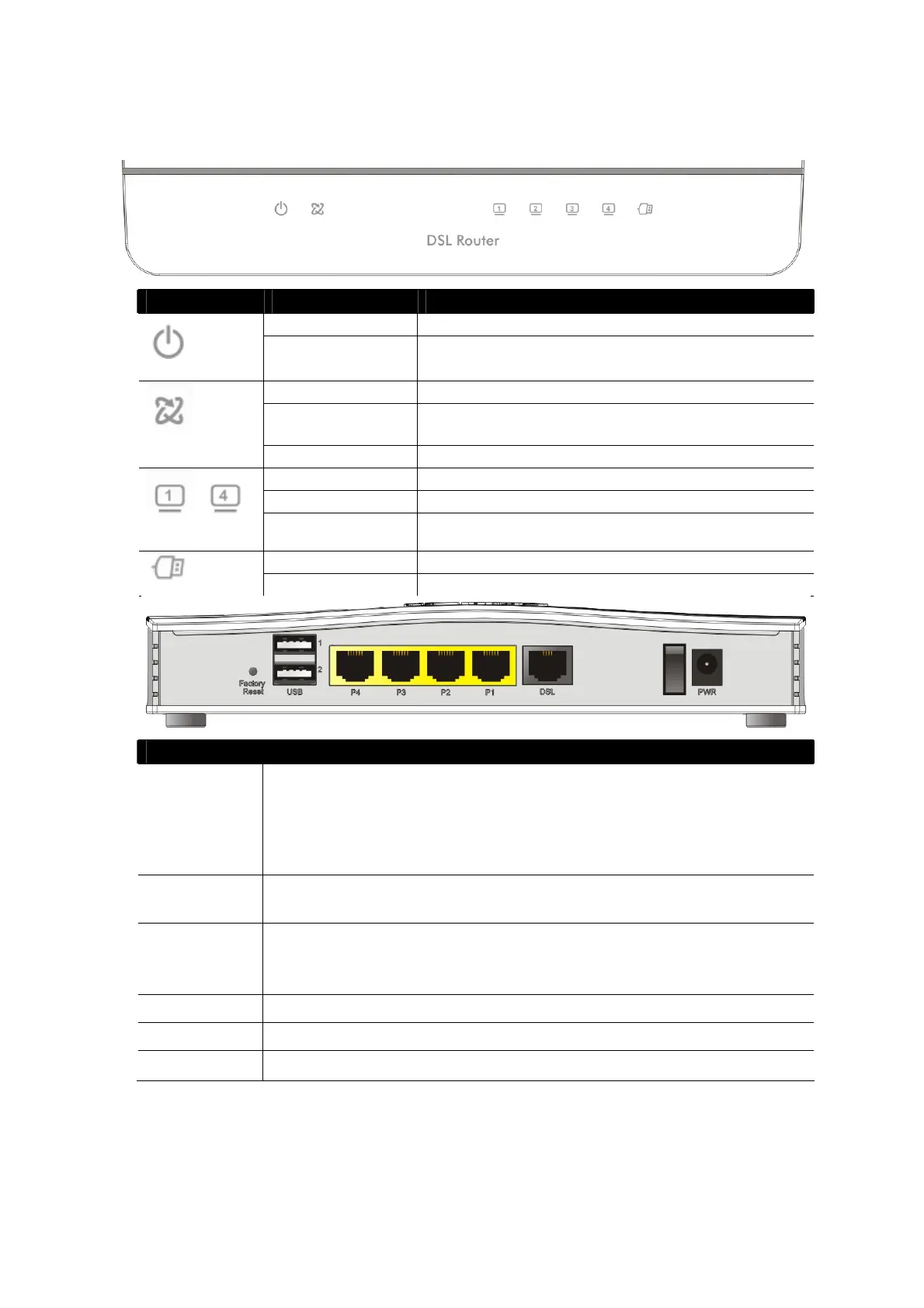
LED Status Explanation
Blinking The router is ready and operating normally
(Activity)
Off The router is powered off
On DSL connection synchronised
Blinking (Slowly) DSL connection not currently synchronizing or not
detected
(DSL)
Blinking (Quickly) DSL connection is synchronising
On Ethernet LAN (RJ45) is connected
Blinking Data is transmitting (sending/receiving)
~
(LAN1/2/3/4)
Off Ethernet LAN is disconnected
On USB device is connected and ready for use
(USB)
Blinking Data is being transmitted over USB
Interface Description
Factory Reset
Restore the default settings.
Usage: Turn on the router (ACT LED is blinking). Press gently and hold
for more than 5 seconds. When the ACT LED blinks rapidly, release the
button. Then the router will restart with the factory default
configuration
USB1~USB2
Connector for a USB 3G/4G modem, storage, printer or USB
Thermometer
P1~P4
RJ-45 Gigabit Ethernet connectors for local network devices.
LAN port P4 can be configured as the Ethernet WAN port, see Section
5.3 for details
DSL
RJ-11 connector for ADSL or VDSL line
I / O Power Switch. Turns the unit on (I) or off (O)
PWR
Connector for the power adapter











 To Next Page