3
3
3
.
.
H
H
a
a
r
r
d
d
w
w
a
a
r
r
e
e
I
I
n
n
s
s
t
t
a
a
l
l
l
l
a
a
t
t
i
i
o
o
n
n
3
3
.
.
1
1
C
C
o
o
n
n
n
n
e
e
c
c
t
t
i
i
n
n
g
g
u
u
p
p
t
t
h
h
e
e
V
V
i
i
g
g
o
o
r
r
R
R
o
o
u
u
t
t
e
e
r
r
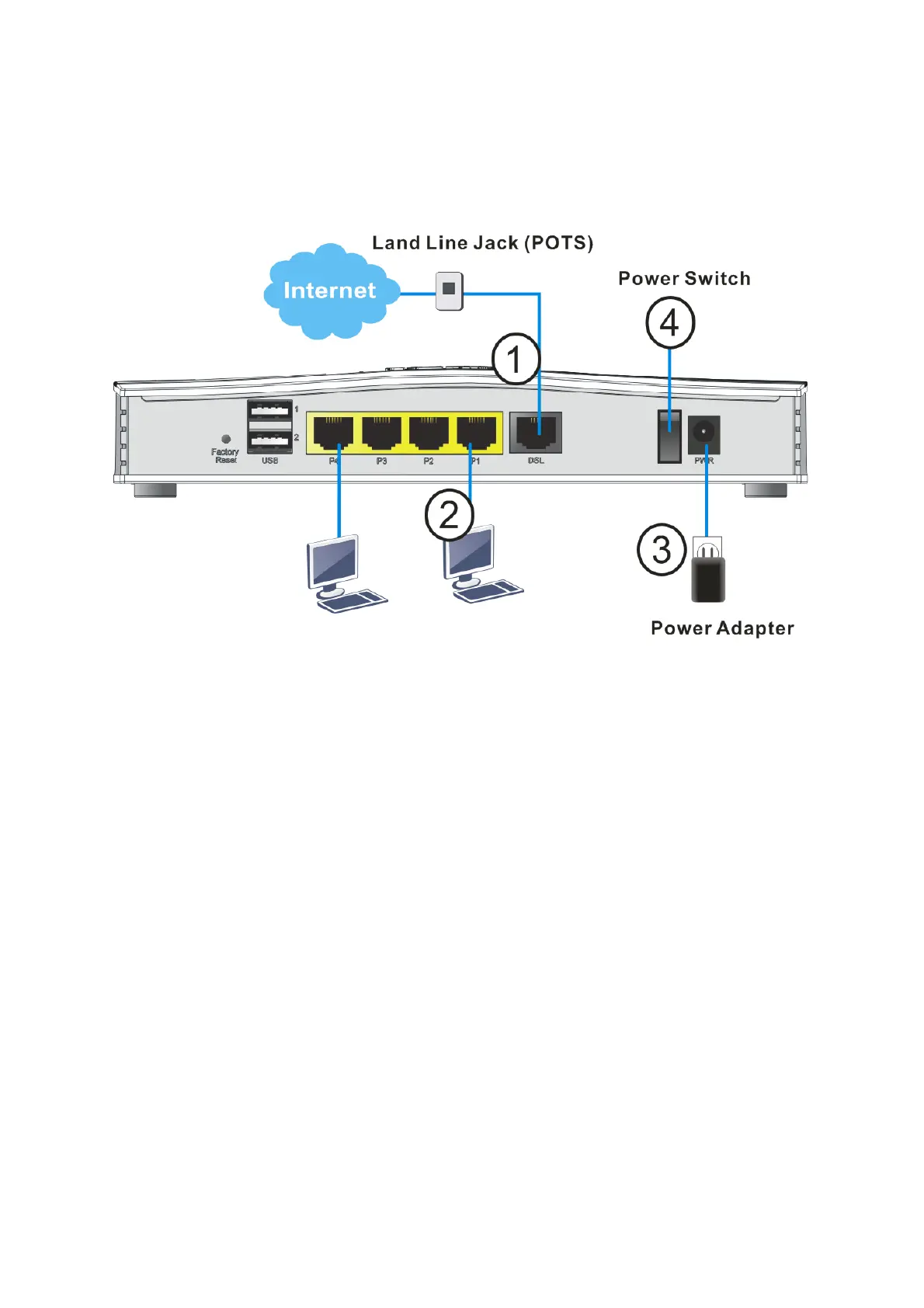
1. ADSL/VDSL Connections: Connect the DSL port to the Modem or DSL port of
the external splitter/microfilter (not supplied) with the RJ-11 line cable. In
some cases, your RJ-11 DSL socket will be built-into your phone line socket
on the wall and you won’t have a separate microfilter/splitter.
2. LAN Connections: Connect a LAN port of the router to your computer or
switch.
3. Power Supply: Connect the power adapter to the Vigor 2763’s PWR socket
on the rear and plug the power adapter into a suitable mains socket.
4. Turn the Vigor2763 on using its power switch.
5. The router will start up. After completing the system test, the ACT LED will
light up and start blinking once per second to indicate that it is ready for
use.
For more detailed information of LED status, please refer to section 2 Panel
Explanation for Vigor2763.











 To Next Page