Repeat operations 3 to 6 to set the second and third
ON/OFF times.
NOTE:
After pressing set? for the third CH OFF time, SET
and HW for that day are displayed.
Setting Hot Water (HW) individual weekend
days:
NOTE:
Speed up the display by holding down the + or -
buttons.
Setting individual weekend days:
NOTE:
If you do not require individual weekend day times,
then press set? until the normal display is shown.
If you do not wish to change the settings for SAT, then
press set? to move to SUN.
Setting Central Heating (CH) individual
weekend days:
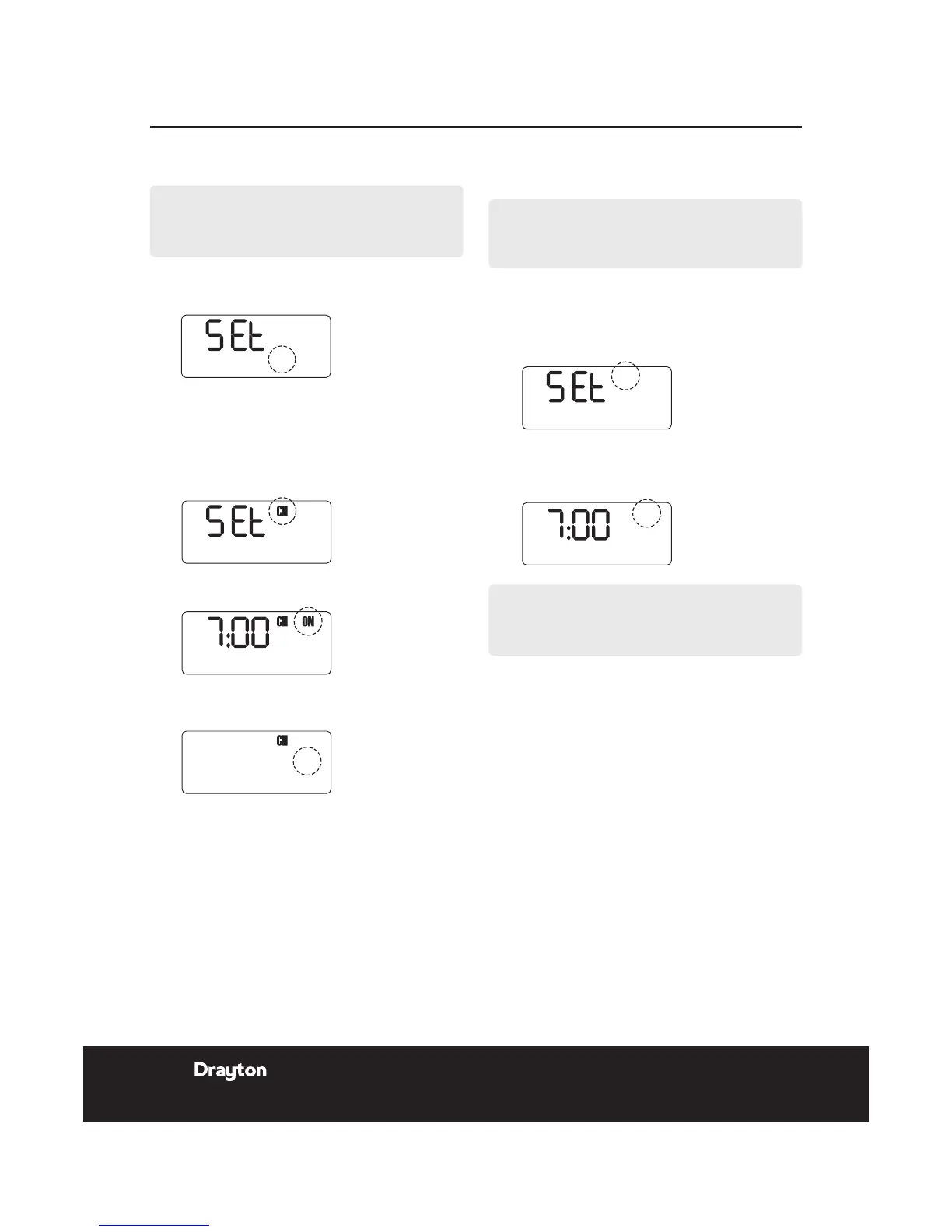
1.
Press OK to select the day displayed.
2.
Press OK to select CH.
3.
Press + or - to change the ON time.
4.
Press set? to set the ON time and select the OFF
time.
5.
Press + or - to change the OFF time.
6.
Press set? to set the OFF time and select the
next ON time.
PROG?
SAT SUN
7.
Press OK to select the rst ON time.
Repeat operations 3 to 6 to set the rst, second and
third HW ON/OFF times. Pressing set? until the normal
display is shown.


 To Next Page