5
Product Overview
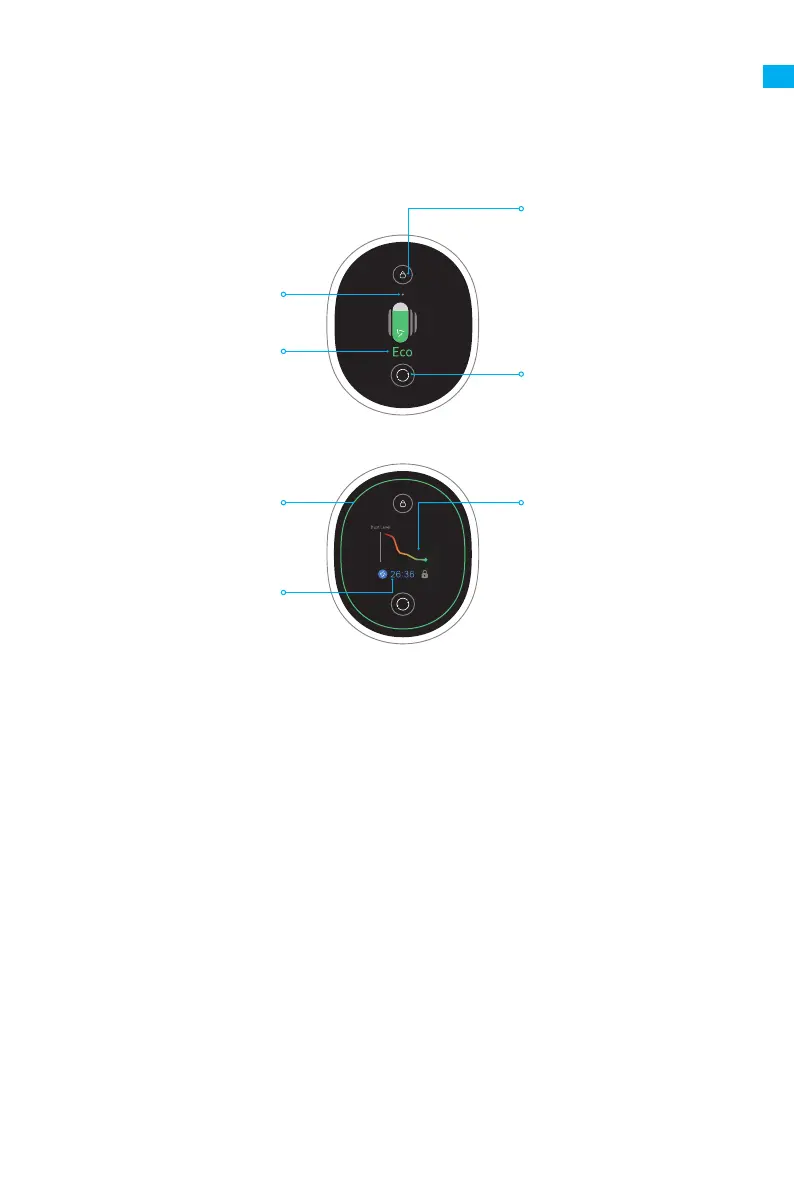
• Only in Auto Mode, the suction level and the color of dust level indicator change with
the amount of inhaled dust.
• Residual time is for reference only and it may be different from the actual time.
Note:
Switching Suction Level
Press briefly to switch the
suction level
Lock Status
Dust Level Indicator
Suction Level Status
Residual Running-Time
Dust Level Monitoring Curve
The color of curve changes
with the amount of dust in
real time
• Red : High
• Orange : Med
• Green : Low
Electronic Lock/Reset Filter
• Press briefly to enter/exit
lock
• Press and hold for 1.5
seconds to enter the filter
reset interface
Introduction of Display Screen
EN


 To Next Page