7 8
TROUBLE SHOOTING
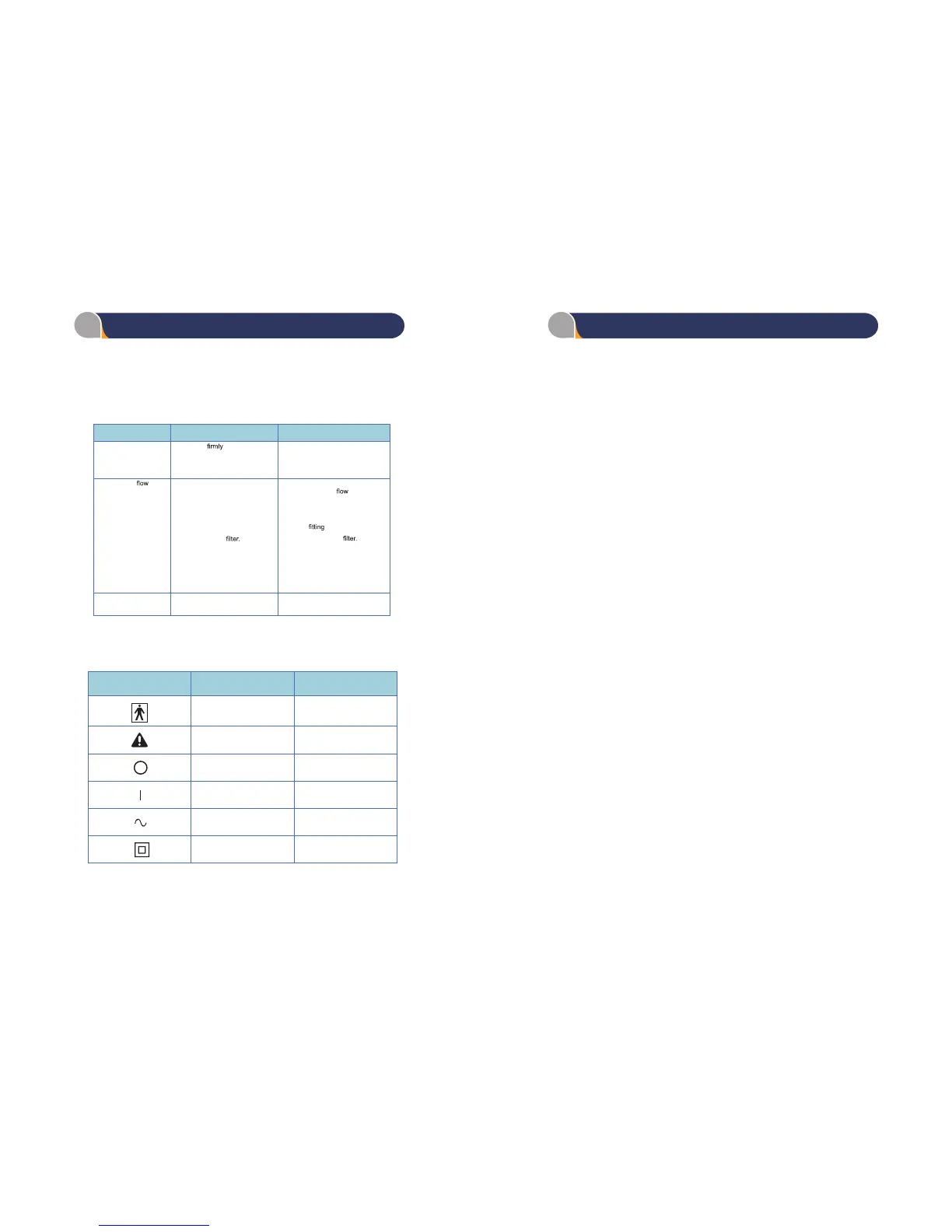
TROUBLESHOOTING CHART
SYMBOLS
UL 60601-1 Table DI, IEC symbols
If the Drive Medical Model 18450 series compressor malfunctions, refer to the
troubleshooting chart below for probable cause and remedy. If the unit fails
to operate correctly after using the troubleshooting chart below, contact your
Homecare Dealer for further assistance.
TROUBLE
PROBABLE
CAUSE
REMEDY
A. Unit not operating 1. Plug not
in wall.
teltuo llaw ta rewop oN .2
1. Check plug at outlet .
ni esuf ,ecruos rewop kcehC .2
house
B. Limited air
.gnibuT yrevileD ytluaF .1
.kaeL .2
3. Blocked intake
4.Low pressure.
ta gnibut yreviled tcennocsiD .1
outlet . If proper
is restored,
check equipment and tubing for
obstructions or kinks. Replace
if needed.
2. Check
at outlet and tubing.
3. Replace air intake
C. All other problems .relaeD eracemoH tcatnoC .1
1 YEAR LIMITED WARRANTY
Your Drive brand product is warranted to be free of defects in materials and
workmanship for one (1) year of the original consumer purchaser.
This device was built to exacting standards and carefully inspected prior to
shipment. This 1 Year Limited Warranty is an expression of our confidence
in the materials and workmanship of our products and our assurance to the
consumer of years of dependable service.
This warranty does not cover device failure due to owner misuse or
negligence, or normal wear and tear. The warranty does not extend to non-
durable components, such as rubber accessories, casters, and grips, which
are subject to normal wear and need periodic replacement.
If you have a question about your Drive device or this warranty, please contact
an authorized Drive dealer.
Symbol
IEC
Publication
Description
787-02-02 Type BF Equipment
348
Attention, consult
ACCOMPANYING DOCUMENTS
417-5008
Off (power: disconnection from
the mains)
417-5007
On (power: connection to the
mains)
417-5032 Alternating current
417-5172 Class II Equipment
4. Ture the unit off, increase the
pressure by turning the regulator
clockwise, then turn the unit
back on. Adjust the pressure to
the desired setting.


 To Previous Page