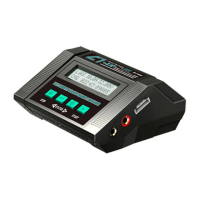
CHARGER INSTRUCTION MANUALC1 - XR AC/DC SMART BALANCE CHARGER
1716
Operation ProgramOperation Program
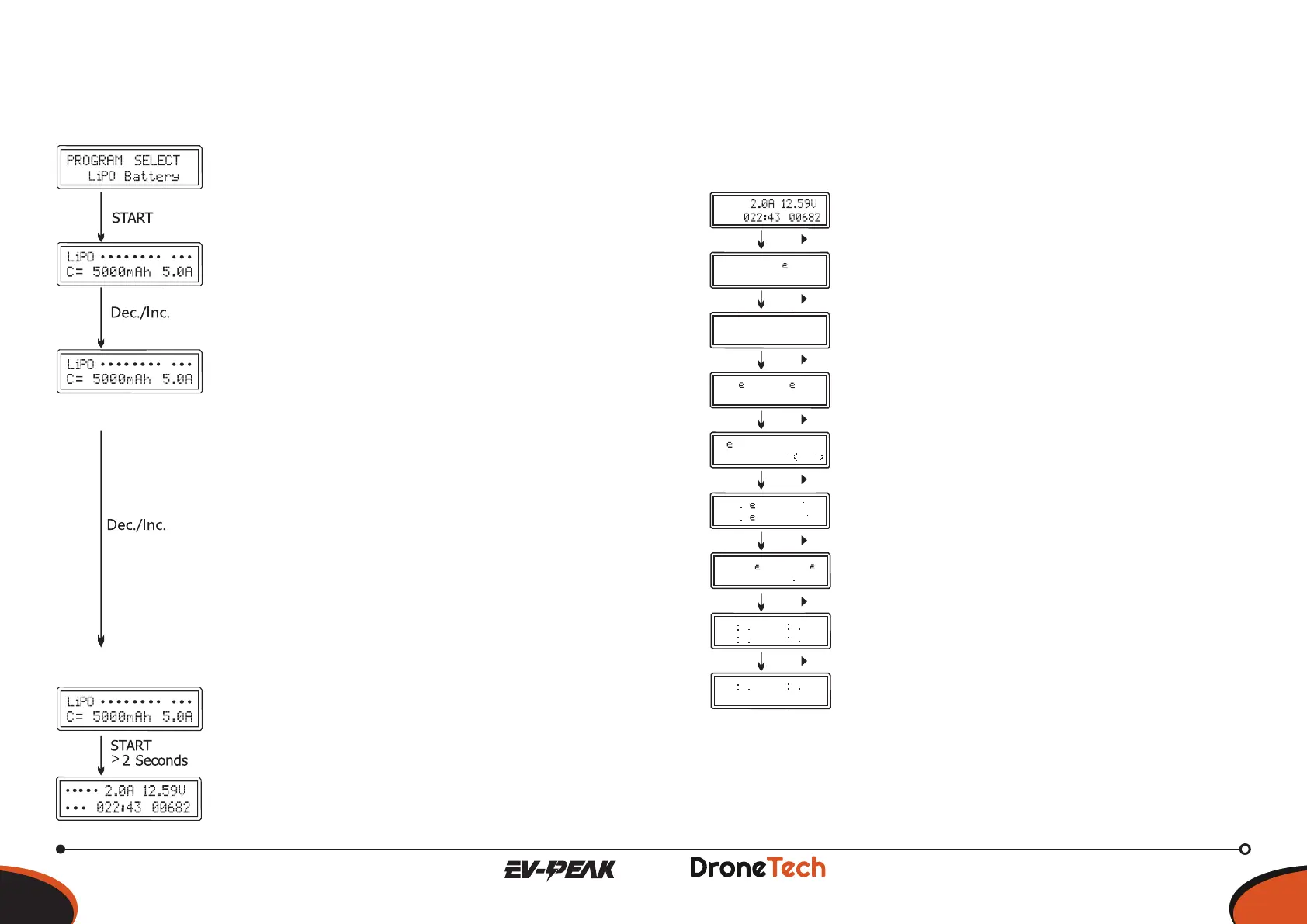
BATT/PROGRAMSelect
Press “STOP” and “-“to go through all the
programs and press “START/ENTER to enter LiPo
BATT program.
ModeSelect
Press “+” and “-” to go through all the modes
(balance charge mode,storage mode, discharge
mode and fast charge mode).
BatterySetting
Press START, the present value will start to blink.
Press ”+” and ”-” to set the battery cells. And
press START to conrm your setting. At the same
time, Press START, the present value will start
to blink. Press “+”and “-“to change the value and
press START to conrm your setting. Charger
automatically recommend charging current
according the capacity and cell count setting
value, Press START to conrm if no objection,
or manually set the current by pressing “+”or”-
“button, then press START to conrm.
ProgramStart
Press and hold START for 2 seconds to start the
program
ChargingStatus
It show the real-time data during charging.
ChargeProgramme
••••••••
••••••••••••••••••••••
••••••••••••
••••••••••••••••••••••••••••••••••
••••••••••••••
••••••••••••••••
••••••••••••••••
VARIOUS INFORMATION DURING THE PROCESS
Press INC or DEC during the charging or discharging process to view further
pertinent information on the LCD screen.
••••••••••••-••••••
•••••••• ••••••
••
••
•••••••• ••••••
•••••••• ••••••••
••
••
••••••••••
••••••••••
••••••••••
••••••••••
••••••••••
••••••••••••••
••••••••••
••••••••••
••••••••••
Dec.
Dec.
Dec.
Dec.
Dec.
Dec.
Inc.
Inc.
••••
• •••••••••••••••••••••••••••••••••••••••••••••••••••••••••••••••••••••••••••••••••
OPERATION PROGRAM
Real-time status: battery type, battery cell count, charge
current, battery pack total voltage, elapsed time and
charge capacity.
Final voltage when the program ends.
Capacity cut-off ON and value of the set capacity limit.
Safety timer ON and duration of time in minutes.
Cut off temperature.
Internal temperature.
Temperature probe needs to be connected to show
external temperature.
Input voltage
Voltage of each cell in the battery packs when the
battery is connected with balance lead.
Program Stop
During the charging process, press STOP to stop the charging process.
Program Finished
Charger will alarm once program finished.
15
VARIOUSINFORMATIONDURINGTHEPROCESS
Press INC or DEC during the charging or discharging process to view further
pertinent information on the LCD screen.
Real-time status: battery type, battery cell count, charge
current, battery pack total voltage, elapsed time and
charge capacity.
Final voltage when the program ends.
Capacity cut-o ON and value of the set capacity limit.
Safety timer ON and duration of time in minutes.
Cut o temperature.
Internal temperature.
Temperature probe needs to be connected to show
external temperature.
Input voltage
Voltage of each cell in the battery packs when the battery
is connected with balance lead.
ProgramStop
During the charging process, press STOP to stop the charging process.
ProgramFinished
Charger will alarm once program nished.


 To Next Page
 Loading...