8
©DSan Corporation Limitimer® Rackmount User Guide
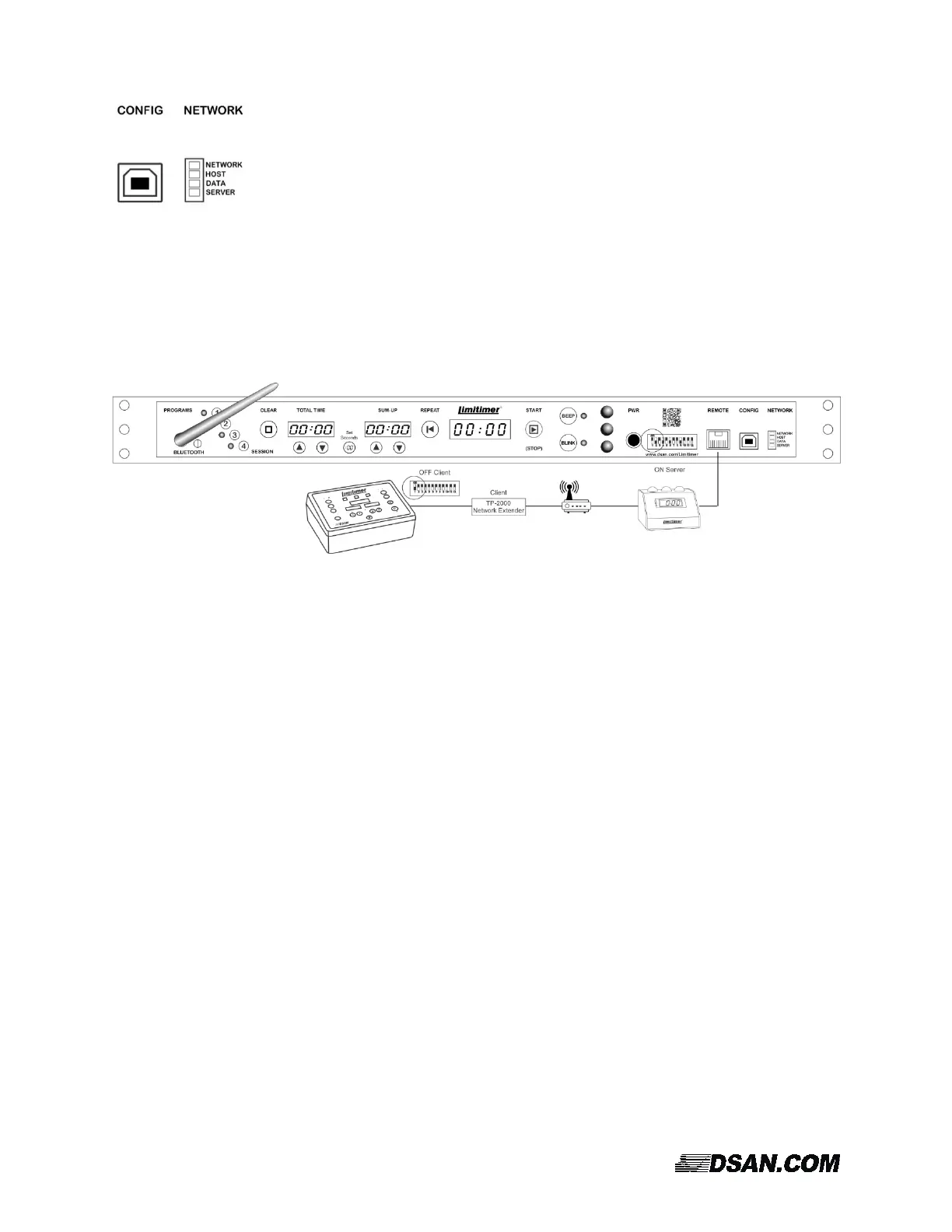
Network status LEDs indicate connection to a network (NETWORK); whether a client
Limitimer (HOST) is connected to the PRO-2000RM; if data is flowing (DATA); and, if
the device is configured as a server (SERVER). (If configured as a client, the Server
LED is off.)
If Limitimer Rackmount is configured as a client, make sure that its DIP switch #1 is the OFF position.
This means that it is not generating its own time data. The DATA LED will not blink until it connects to a
remote timer configured as a server.
If Limitimer Rackmount is configured as a server, make sure that DIP switch #1 is in the ON position so
that it generates all the time data.



 To Next Page