Changing The Modes
Long press the POWER button for 3 seconds to turn on the device.
Long press the POWER button to turn off the device.
Watch the eyepiece/display screen and adjust the focus wheel according
to the actual distance to focus until the screen is clear. If the light is insufficient
or used in the evening, turn on the IR by pressing the IR Up/Zoom in/Up Button.
Increase the brightness by pressing the button repeatedly.It has 7 levels of
brightness(0〉1〉2〉3〉4〉5〉6〉7〉0...)The brightness can be adjusted according
to your needs. Long press IR up to zoom.
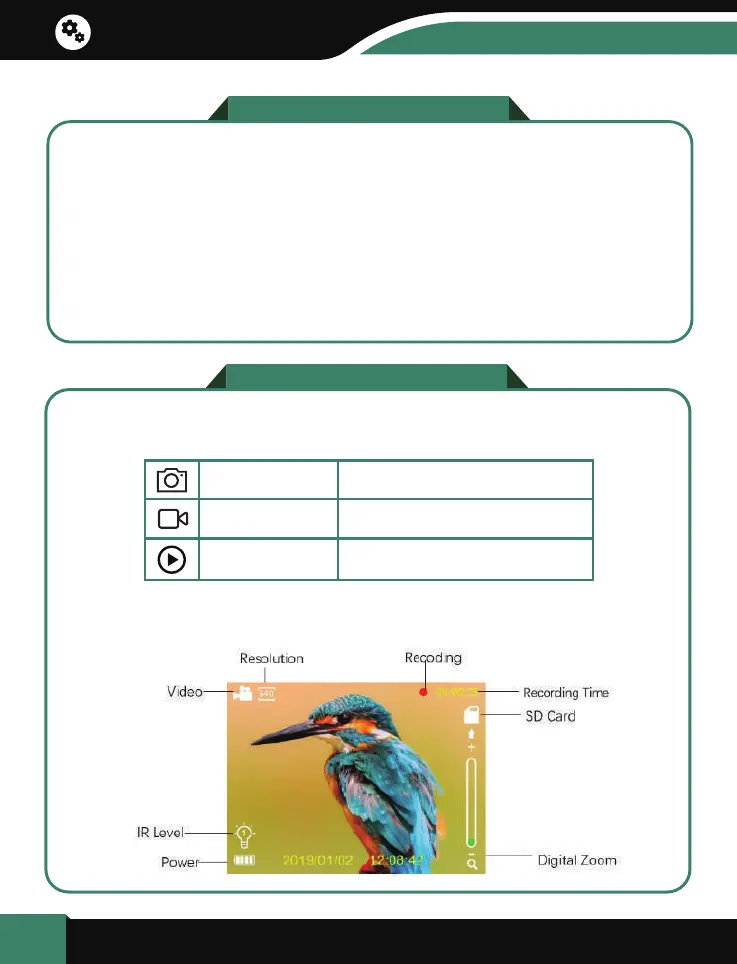
The night version has 3 different modes : photo mode, video mode and
playback mode. Press the Mode button can change mode.
Photo Mode For taking still photos.
For recording video.
For playing the recorded files.
Video Mode
Playback Mode
a. When the device is turned on, by default it will be in Video mode.
Turn On And Turn Off
6
Basic operation


 To Next Page