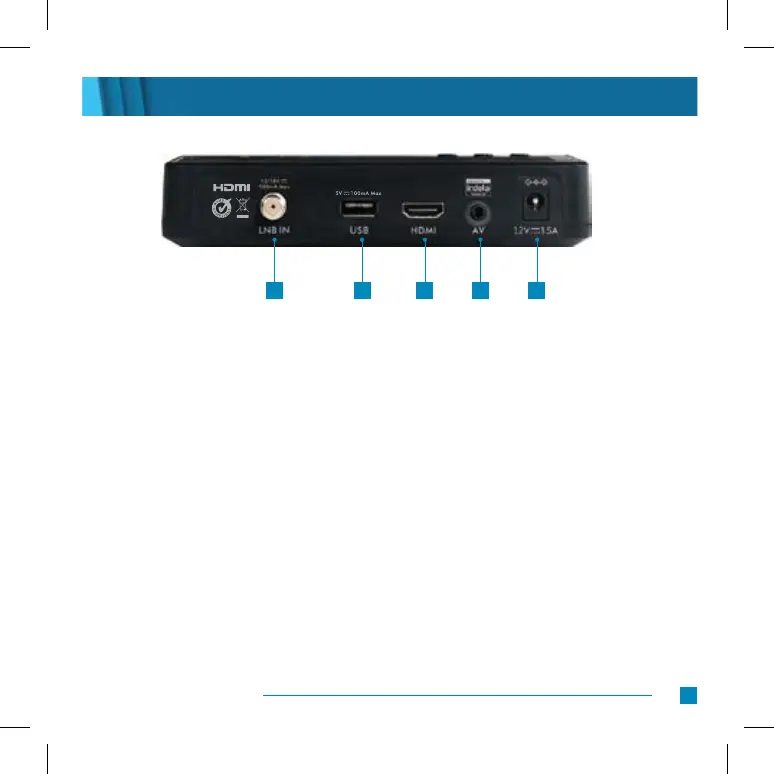
Back Panel
4
DStv HD Decoder Quick Start Guide
1. LNB in Connect the cable from the satellite dish to this input
2. USB Used for technical support
3. HDMI Used to connect the decoder to a HD TV
4. AV Out Used to connect the decoder to a non-HD TV
5. Power input Connect the power supply to this input
1 2 3 4 5


 To Next Page