214
Introduction
Welcome to the exciting world of mobile broadcast TV.
You can use your Walka to access and view DStv Mobile or
GOtv Mobile broadcast content within the broadcast
coverage area.
This guide will help you operate your Walka.
!
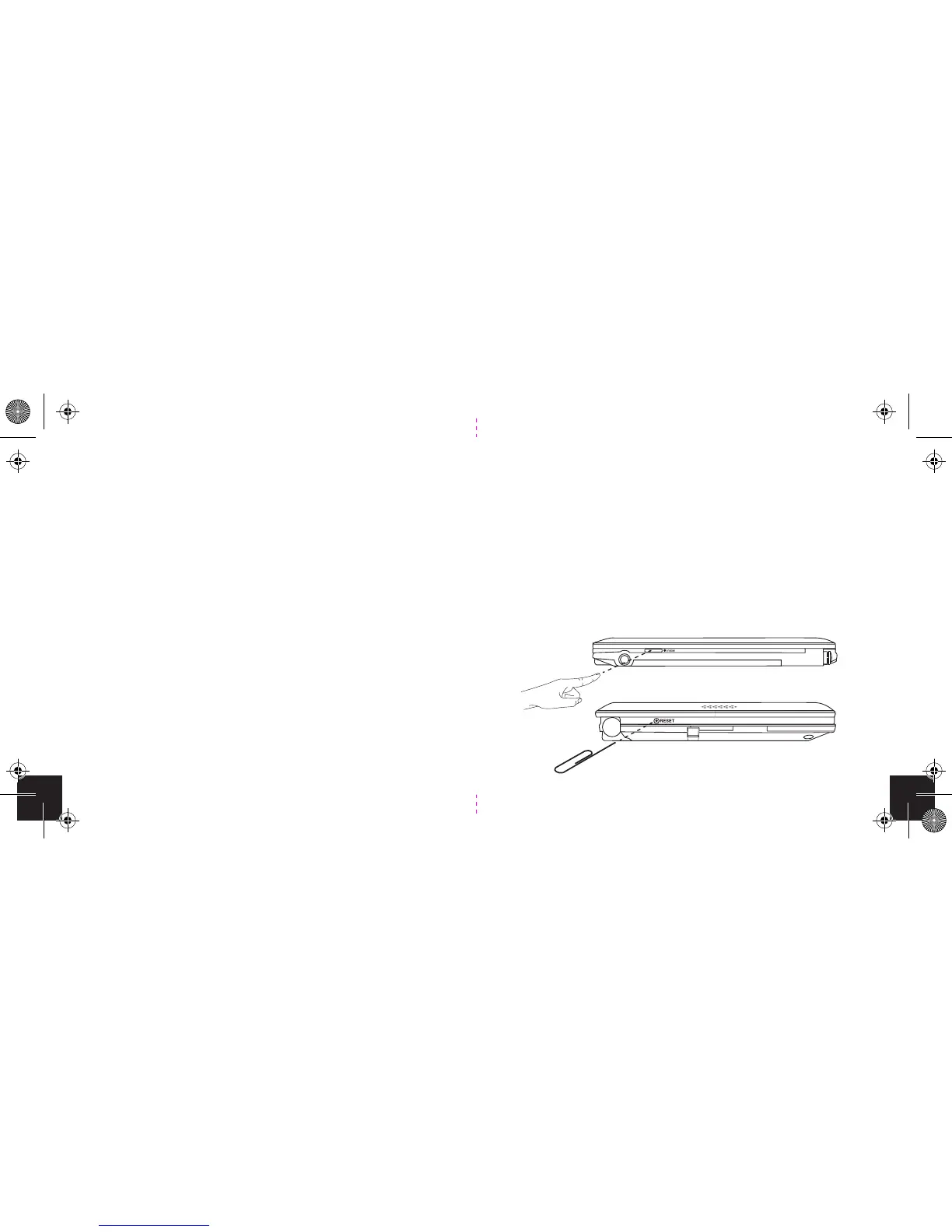
Factory reset (Hard reset)
In the event that the soft reset does not work, then it
might be necessary to perform a factory reset. To do this,
hold down the menu/power button for 5 seconds while
inserting a paper clip into the reset hole on the left of the
device. Then release the power button and remove the
paper clip from the reset hole. The device will power up
and you will see the ‘hello’ screen. Accept the terms and
conditions and the device will perform a channel scan.
+


 To Next Page