6
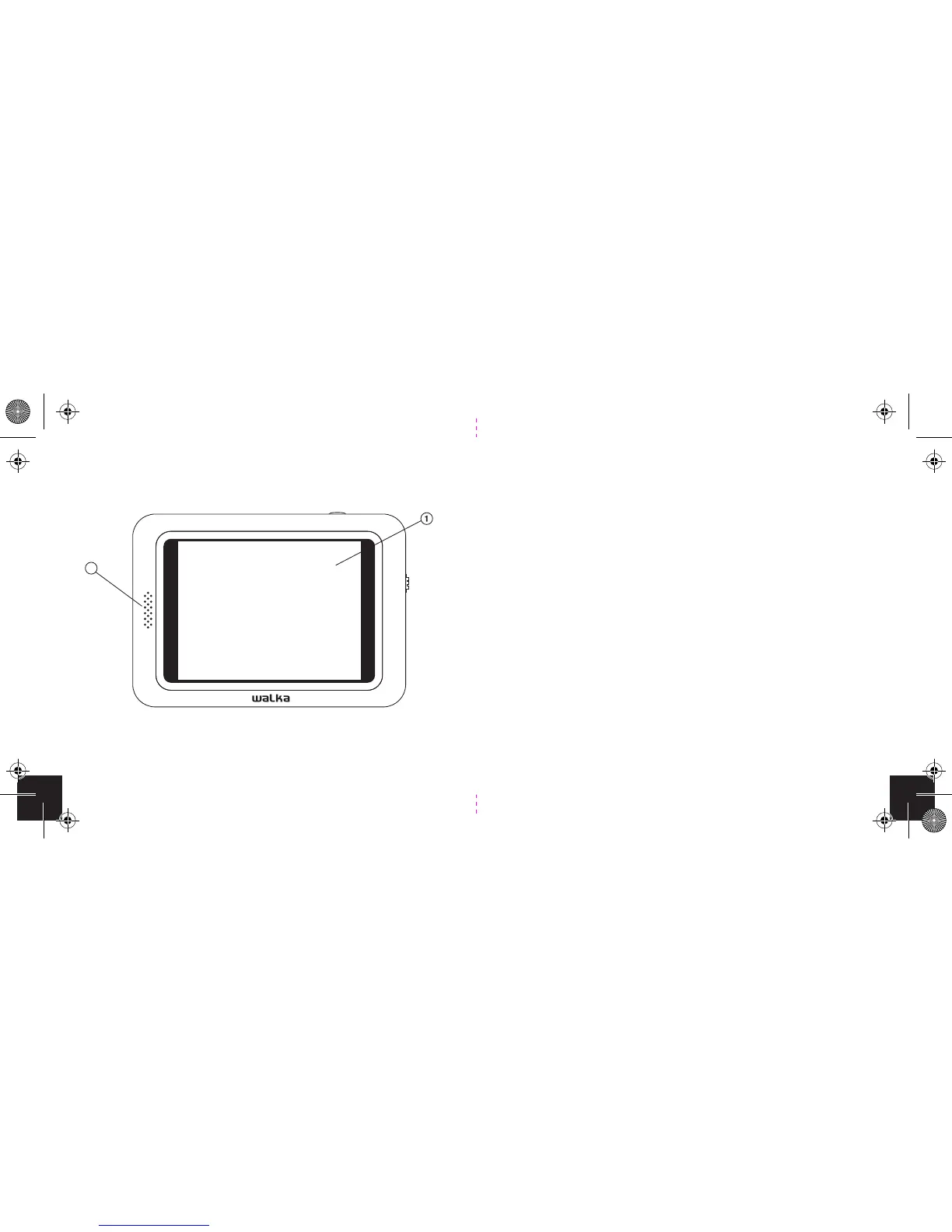
1. Viewing screen
2. Speaker
Front
2
Step 1: Familiarise yourself with the hardware
19
Channel Scan
In the event you lose reception while in a coverage area,
you will be able to re-acquire the signal by rescanning for
channels. Do the following:
1. Extend the antenna.
2. Click on the Power/menu button.
3. Click the scroll wheel to select the Channel scan option.
4. Click on Channel Scan.
5. You will be prompted to conrm your selection.
6. Click OK.
7. Channel Scan will begin, and once complete will
connect to the last channel viewed.
8. Do not turn o the device while the channel scan is
in progress.


 To Next Page