P
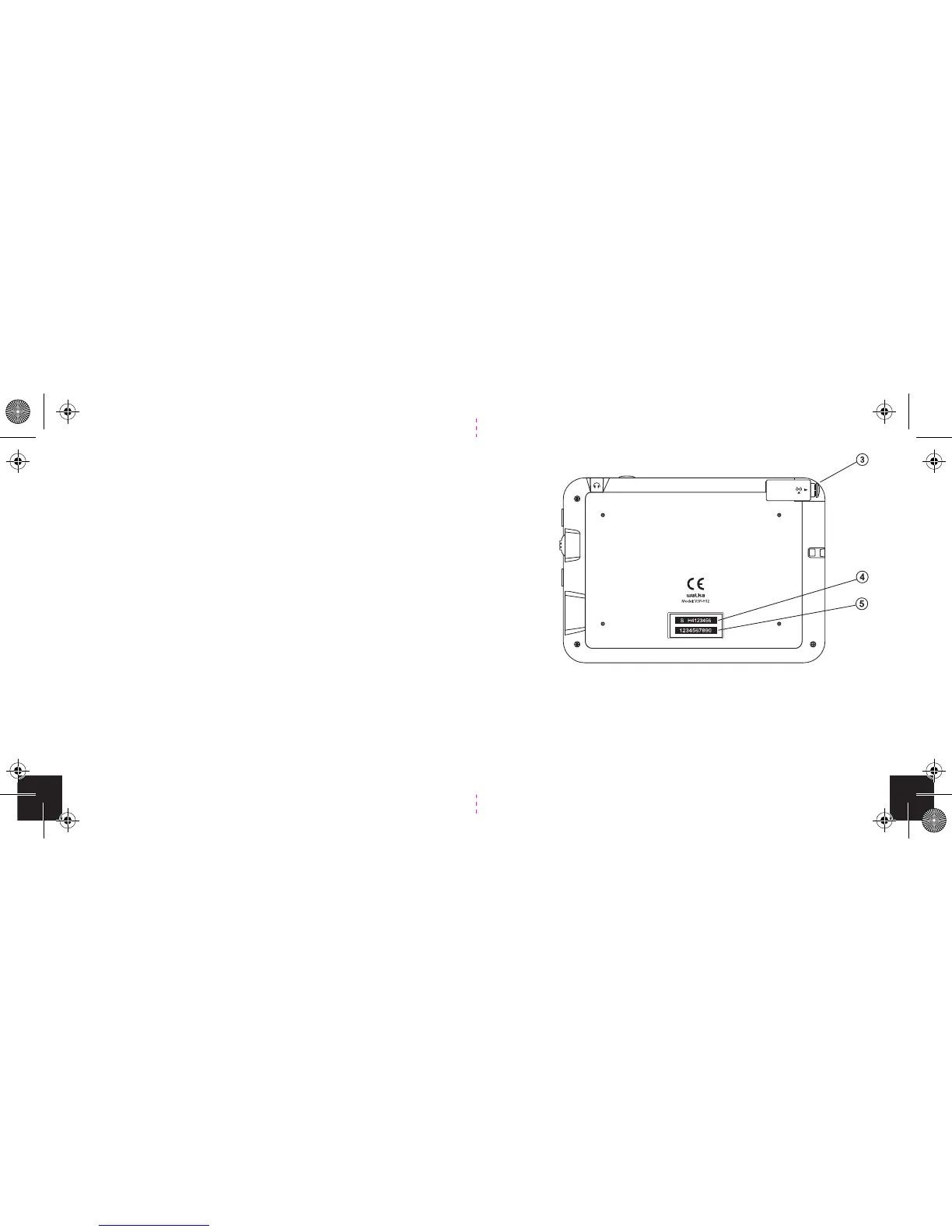
3. Retractable antenna for receiving the signal.
Important: Extend and position vertically to improve
signal reception.
4. Device serial Number.
5. A CAS number is used in conjunction with the
serial number when activating the device.
Back
18
7
Made in China
Aspect ratio
Aspect ratio refers to the height and width of the video on
the screen. You are able to change the aspect ratio settings
on the Walka.
To adjust the aspect ratio do the following.
1. Click on the Menu/Power button.
2. Using the selection wheel scroll to the Aspect Ratio
menu item.
3. Choose the setting that looks best for the
programme you are viewing.
4. To accept the desired setting click on the selection
wheel.


 To Next Page