EasyManua.ls Logo

DT Research DT311H - User Manual

DT Research DT311H
4 pages
To Next Page IconTo Next Page
Loading...
DT311C/ DT311H
Rugged Tablet
ENGLISH
8
signage dtri com
DT Research, Inc.
2000 Concourse Drive, San Jose, CA 95131
Copyright © 2017, DT Research, Inc. All Rights Reserved.
BOG032817DT311CHENG
Federal Communicaon Commission Interference
This equipment has been tested and found to comply with the limits for a Class
B digital device, pursuant to Part 15 of the FCC Rules. These limits are designed
to provide reasonable protecon against harmful interference in a residenal
installaon. This equipment generates, uses and can radiate radio frequency
energy and, if not installed and used in
accordance with the instrucons, may
cause harmful interference to radio communicaons. However, there is no
guarantee that interference will not occur in a parcular installaon. If this
equipment does cause harmful interference to radio or television recepon,
which can be determined by turning the equipment o and on, the user is
encouraged to try to correct the interference by one of the follo
wing measures:
Reorient or relocate the receiving antenna.
Increase the separaon between the equipment and receiver.
Connect the equipment into an outlet on a circuit dierent from that to which
the receiver is connected.
Consult the dealer or an experienced radio/TV technician for help.
FCC Cauon: Any changes or modicaons not expressly approved by the party
responsible for compliance could
void the user
s authority to operate this
equipment.
This device complies with Part 15 of the FCC Rules.
Operaon is subject to the following two condions: (1) This device may not
cause harmful interference, and (2) this device must accept any interference
received, including interference that may cause undesired operaon.
This device and its antenna(s) must not be co-located or operang in conjunc
on
with any other antenna or transmier.
This Class [B] digital apparatus complies with Canadian ICES-003.
Cet appareil numérique de la classe [B] est conforme à la norme NMB-003 du
Canada.
INTRODUCTION
Thank you for acquiring the latest addion to DT Research
s line of tablets
the
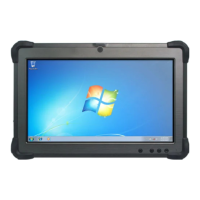
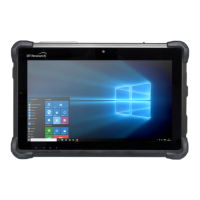
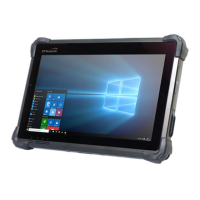
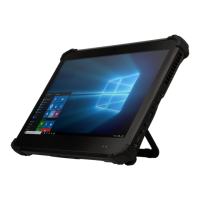
DT311C/ DT311H. Featuring a slim yet robust enclosure, the DT311C/ DT311H with
11.6
TFT display is powered by the Intel® processor, oering opmal combinaons
of performance and power savings. The DT311C/ DT311H is available with Microso®
Windows® operang systems. Each soware operang system features
web browser,
client/ server compung soware, media player, accessories, and applicaons support.
PACKAGE CONTENTS
One DT311C/ DT311H with Baery Pack and Handstrap
AC-DC Power Adapter with Power Cord
Basic Operaon Guide
Major opons, depending on conguraon:
Desktop Charging Cradle with DC-in Power Jack and Ethernet and USB Ports
Wall/ Vehicle Mount Cradle with DC-in Power Jack and Ethe
rnet and USB Ports
Detachable Keyboard; connects automacally without switching and pairing,
ideal for 2-in-1 applicaons
Question and Answer IconNeed help?

Do you have a question about the DT Research DT311H and is the answer not in the manual?

DT Research DT311H Specifications

General IconGeneral
Operating SystemWindows 10 IoT Enterprise
RAM4 GB
Storage64 GB eMMC
Battery Lifeup to 8 hours
Display11.6" LCD
Display Resolution1920 x 1080
Wireless802.11 a/b/g/n/ac
BluetoothBluetooth 4.2
CameraFront: 2MP, Rear: 8MP
I/O PortsUSB 3.0, HDMI, MicroSD
BatteryRechargeable Li-ion
RuggednessIP65 rated, MIL-STD-810G compliant
ConnectivityOptional 4G LTE
Additional FeaturesBarcode scanner, NFC, GPS

Summary

Introduction and Package Contents

Package Contents

Lists items included in the tablet package, such as the tablet, power adapter, and guide.

Optional Configurations

Lists optional accessories and configurations available for the tablet.

Device Overview and Features

Power and Battery Status Indicators

Explains the meaning of different LED colors and blinking patterns for power and battery status.

Handling Precautions

Provides important safety warnings and handling instructions for the device.

Input;Output Ports

Details the available input/output ports on the device.

Button Functions

Describes the functions of various buttons on the tablet.

Basic Features

Outlines the primary features and integrated components of the DT311C/DT311H tablet.

Operation and Connectivity

Powering On and Off

Explains the procedure for turning the tablet on, putting it in standby, and shutting it down.

Wireless LAN Connectivity

Details the wireless LAN capabilities, including setup and security parameters.

Tablet Startup Sequence

Describes the tablet's startup sequence and initial wireless LAN connection establishment.

Configuration Options

Discusses how the tablet can be configured according to the operating system and user needs.

Accessories and Support

Peripheral Support

Covers support for various USB-based peripherals and custom mountable cradles.

Bluetooth Setup

Explains how to configure and use Bluetooth connectivity with peripherals.

Remote Management Capabilities

Explains the capabilities for centrally managing the tablet remotely.

Desktop Cradle Usage

Describes the optional desktop cradle and its connectivity features.

Additional Support Resources

Directs users to the DT Research website for additional guides and support information.

ENERGY STAR Program

Energy Efficiency Information

Information about DT Research's participation in the ENERGY STAR program and power management features.

Related product manuals