EasyManua.ls Logo

DT Research DT365 - User Manual

DT Research DT365
8 pages
To Next Page IconTo Next Page
Loading...
DT365
ENGLISH 1
DT365
BASIC OPERATION GUIDE
INTRODUCTION
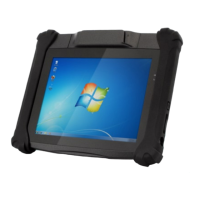
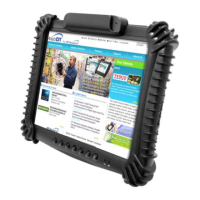
Thank you for acquiring the latest addition to DT Research’s line of tablets — the DT365. Featuring a
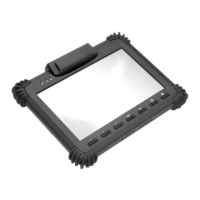
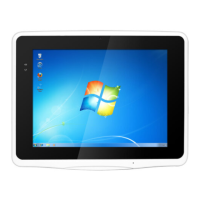
slim yet robust enclosure, the two-pound DT365 with 8.4” TFT display is powered by the Intel® Atom
dual-core processor, offering optimal combinations of performance and power savings. An external
battery expansion option provides approximately 3-4 hours of additional battery operation for up to six
hours of mobile usage. The DT365 is available with Microsoft® Windows® Embedded Standard 7,
Windows® 7 Professional or Linux operating systems. Each software operating system features web
browser, client/ server computing software, media player, accessories, and applications support.
PACKAGE CONTENTS
One DT365 with Internal Battery Pack (3760mAh), Handstrap and Grips
AC-DC Power Adapter with Power Cord
Basic Operation Guide
Major options, depending on configuration:
Desktop Charging Cradle with DC-in Power Jack
and Ethernet, USB and optional VGA Ports
External Battery Pack
External Battery Charger Kit
Question and Answer IconNeed help?

Do you have a question about the DT Research DT365 and is the answer not in the manual?

DT Research DT365 Specifications

General IconGeneral
BrandDT Research
ModelDT365
CategoryTablet
LanguageEnglish

Summary

Device Hardware Features

Input;Output Ports

Identifies and describes the physical ports on the DT365, including USB, headphone jack, and power input.

Button Functions

Explains the actions associated with the physical buttons, such as power, standby, and programmable functions.

Operational Guidance and Precautions

Handling and Safety Precautions

Provides essential safety advice for operating and handling the DT365 tablet to prevent damage or hazards.

Operation and Power Management

Powering ON and OFF

Instructions for turning the DT365 on, putting it into standby mode, and safely shutting it down.

Configuration and Connectivity

Start Up Process

Describes the initial power-up sequence and wireless LAN connection establishment.

Wireless LAN Setup

Details on connecting to 802.11 access points, including SSID and security parameters.

Specifications

Related product manuals