EasyManua.ls Logo

DT Research DT390 - User Manual

DT Research DT390
4 pages
Print Icon
To Next Page IconTo Next Page
Loading...
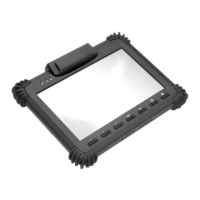
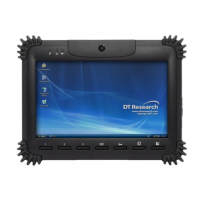
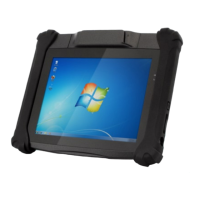
DT390/ DT390c
ENGLISH
Mobile POS Tablet
BASIC OPERATION GUIDE
DT390/ DT390c
ENGLISH
8
signage dtri com
DT Research, Inc.
2000 Concourse Drive, San Jose, CA 95131 hp://www.dtresearch.com
Copyright © 2012, DT Research, Inc. All Rights Reserved.
DT Research is a registered trademark of DT Research, Inc.
INTRODUCTION
Thank you for acquiring the latest addion to DT Research
s line of mobile tablets
the
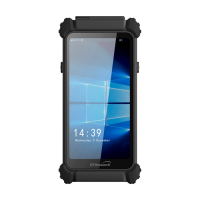
DT390/ DT390c. Featuring an IP64-rated, slim yet robust enclosure, the two-pound
DT390/ DT390c wit
h 8.9
TFT display is powered by the Intel
®
Atom™ processor, oering
opmal combinaons of performance and power savings. An external baery expansion
opon provides approximately 3-4 hours of addional baery operaon for up to eight
hours of mobile usage.
The DT390/ DT390c is available with Windows
®
Embedded Standard 7, Windows
®
XP
Embedded, Windows
®
XP Pro for Embedded Systems, Windows
®
7 Pro or Linux operang
systems. Each soware operang system features web browser, client/server compung
soware, media player, accessories, and applicaons support.
PACKAGE CONTENTS
DT390/ DT390c with Internal Baery Pack, Stylus and Bumpers
AC-DC Power Adapter with Power Cord
Basic Operaon Guide
Major opons, depending on conguraon:
Desktop Charging Cradle with DC-in Power Jack and Ethernet/ USB
Ports
Handstrap
External External Baery Pack and Baery Charger Kit
Vehicle/ Wall Mount Cradle
5-System Gang Charger
* If your DT390/ DT390c contains MSR, camera or scanner module, please refer to the POS module operaon
guide for detailed operaon.
BOG111312DT390/ DT390cENG
SPECIFICATIONS
System
Processor
Intel® Atom™ Z530, 1.6GHz
Memory (RAM)
2GB DDR2 533MHZ
Storage
8GB to 64GB Flash
Operang Systems
Microso® Windows® Embedded Standard 7,
Windows® 7 Professional, Windows® XP Embedded,
Windows® XP Pro for Embedded Systems, or Linux
Display
8.9
LED-backlight screen with resisve touch;
DT390: outdoor-viewable (opon);
DT390c: sunlight-readable (standard)
Display Resoluon
1024 x 600 (WSVGA)
Network Interface
Wi-Fi 802.11a/b/g/n, Bluetooth 2.1 with EDR, 3G (Oponal)
Control Switch and Buons
1 power buon, 7 front buons and 1 trigger buon
Indicator
1 power/ baery status LED and 1 WLAN acve LED
Speaker/Microphone
Built-in speaker; built-in internal microphone
Input/Output Ports
1 DC-in Jack; 1 USB 2.0 port;
1 Headphone-out Jack combined with microphone
Power
AC/DC Adapter
Input: 100 – 240V AC; Output: 19V DC, 2.36A
Baery Pack
Internal 7.4V, 3760mAh/
Oponal: External 7.4V,3760mAh/ 7.2V,3900mAh
Mechanical
Enclosure
ABS + PC plascs
Stylus
Non-electronic p
Protecve Bumpers
Rubber bumpers on each corner for handling protecon
Dimensions (H x W x D)
7.7 x 10 x 1.25 in/ 196 x 256 x 32 mm
Weight
2.43 lbs/ 1.1 kg
Environmental
Water and Dust Resistance
IP64 * IP64 rang may not be applicable for units with module
opons
Vibraon and Shock Resistance
MIL-STD-810G
Regulatory
FCC Class B, CE, C-Tick, RoHS compliant
Temperature
Operaon: 0
°
C - 40
°
C; Storage: -20
°
C - 60
°
C
Humidity
0% - 90% non-condensing
* Specicaons subject to change without noce.
Question and Answer IconNeed help?

Do you have a question about the DT Research DT390 and is the answer not in the manual?

DT Research DT390 Specifications

General IconGeneral
BrandDT Research
ModelDT390
CategoryTablet
LanguageEnglish

Summary

Introduction and Package Contents

Introduction

Provides an overview of the DT390/DT390c tablet, highlighting its features, processor, and operating system options.

Package Contents

Lists the standard items included with the DT390/DT390c tablet and optional accessories based on configuration.

Device Overview and Operation

Button Functions and Management

Details the programmable functions of the DT390/DT390c buttons and how to reassign them using the Button Manager application.

Power and Battery Status Indicators

Explains the meaning of the Power/Battery LED colors and states for charging and battery level indication.

Important Precautions

Provides essential safety guidelines and handling instructions for operating and maintaining the DT390/DT390c tablet.

Basic Features

Highlights the core features of the DT390/DT390c, including its touch display, USB port, and wireless connectivity.

Operation and Configuration

Powering ON and OFF

Instructions on how to turn the DT390/DT390c on, put it in standby mode, and shut it down safely.

Start Up and Configuration

Covers the device startup sequence and general methods for configuring various properties via the operating system.

Calibration and Wireless Networking

Information on touch display calibration and connecting to wireless networks using the 802.11a/b/g/n WLAN adapter.

Using the DT390;DT390 c

Button Management and Brightness Control

Details on programmable buttons and how to adjust display brightness using the System Menu.

Battery and Power Management

Information on the internal battery life, external battery options, and power-saving modes.

Desktop Cradle and Peripherals Support

Description of the optional desktop cradle, its interfaces, and support for various USB-based peripherals.

Memory and Storage Configuration

Details on available memory configurations and storage options, including flash memory and SSD.

Related product manuals