DT395
DT395
BASIC OPERATION GUIDE
INTRODUCTION
Thank you for acquiring the latest addition to DT Research’s line of mobile tablets— the
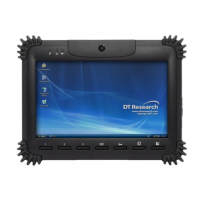
DT395. Featuring an IP64-rated, slim yet robust enclosure, the two-pound DT395 with 8.9”
TFT display is powered by the Intel® Atom™ dual core processor, offering optimal
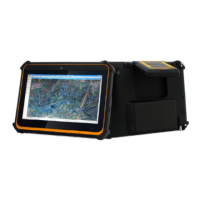
combinations of performance and power savings. An external battery expansion option
provides approximately 3-4 hours of additional battery operation for up to eight hours of
mobile usage.
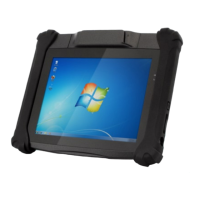
The DT395 is available with Windows® Embedded Standard 7, Windows® XP Embedded,
Windows® XP Pro for Embedded Systems, Windows® 7 Pro or Linux operating systems.
Each software operating system features web browser, client/server computing software,
media player, accessories, and applications support..
PACKAGE CONTENTS
• DT395 with Internal Battery Pack, Stylus and Bumpers
• AC-DC Power Adapter with Power Cord
• Basic Operation Guide
• Handstrap
Major options, depending on configuration:
• Desktop Charging Cradle with DC-in Power Jack and Ethernet/ USB Ports
• X-handstrap
• External Battery Pack and Battery Charger Kit
• Vehicle/ Wall Mount Cradle
* If your DT395 contains camera, 3G or scanner module, please refer to the POSmodule
operation guide for detailed operation.
SPECIFICATIONS
System
CPU Intel® Atom™ N2600, Dual Core, 1.6GHz
RAM 2GB
Storage 322GB to 256GB Flash
Operating System
Microsoft® Windows® Embedded Standard 7, Windows® 7 Professional,
Windows® XP Embedded, Windows® XP Pro for Embedded Systems, or Linux
Display 9” LED-backlight screen with resistive touch; sunlight-readable option
Display Resolution 1024 x 600 (WSVGA)
Network Interface Wi-Fi 802.11a/b/g/n; Bluetooth 4.0+HS
Trusted Platform Module Yes, TPM 1.2 support
Control Switch and Buttons 1 power button, 7 front buttons and 1 trigger button and 1 Wi-Fi switch
Indicator 1 power/ battery status LED and 1 WLAN active LED
I/O Ports
1 DC-in Jack; 1 USB 2.0 port; 1 Headphone-out Jack combined with
microphone; 1 Full Slot Smart Card Reader
Speaker Built-in speaker
SD Slot Yes, up to 64GB
NIST Compliant Yes
Full Slot Smart Card Reader Reads ISO 7816 T=0, T=1; 1.8/3/5V smart card
Power
AC/ DC Adapter Input: 100 – 240V AC; Output: 19Vdc, 2.36A
Battery Pack Internal 7.4V, 3760mAh/ Optional: External 7.4V, 3760mAh
Mechanical
Enclosure ABS + PC plastics; anti-microbial enclosure
Stylus Yes, non-electronic tip
Protective Grip Rubber with handstrap
Dimensions (H x W x D) 7.7 x 10 x 1.3 in/ 196 x 256 x 33.5 mm
Weight 2.43 lbs/ 1.1 kg
Environmental
Regulatory
FCC Class B, CE, C-Tick, RoHS compliant
Temperature
Operation: 0°C – 40°C; Storage: 0°C – 60°C
Humidity
Operation: 5% - 95%; Storage: 20% - 90%
DT Research, Inc.
2000 Concourse Drive, San Jose, CA 95131 http://www.dtresearch.com
Copyright © 2010, DT Research, Inc. All Rights Reserved.
DT Research and WebDT are registered trademarks of DT Research, Inc.
ENGLISH 8

 Need help?
 General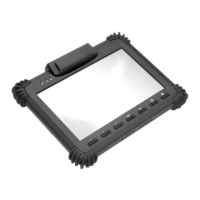





 To Next Page